




How ADS-B works on 1090 MHz, how to size a vertical antenna, and how to go from an RTL-SDR dongle to a live aircraft map with readsb and tar1090, plus what a receiver cannot see.
An airliner at cruise broadcasts its identity, altitude, speed and GPS position on 1090 MHz, unencrypted, and a small USB radio can pick it up. Put that dongle on a windowsill, add free software, and a live map of the sky fills in within minutes.
This guide covers the signal first, because it explains every limit you will hit later: the antenna length, the range, the missing aircraft. Then comes the build, from dongle to browser map, with the commands as the decoder project documents them.
How the ADS-B signal works
ADS-B Out is a broadcast. An aircraft works out its position from satellite navigation and transmits it periodically, with no interrogation and no pilot input, as the Wikipedia ADS-B article describes it. The FAA’s own wording is that ADS-B Out sends GPS location, altitude, ground speed and other data once per second. The satellite side of that chain is covered in our explainer on how GPS works.
Two links carry the data. One is 1090 MHz, a modified Mode S transponder. The other is 978 MHz (UAT), approved in all US airspace except Class A, above 18,000 feet. A dongle tuned to 1090 MHz hears the first and not the second.
A 1090 MHz extended squitter is 112 bits long. The 1090 MHz Riddle splits it into a 5-bit downlink format, a 3-bit capability field, a 24-bit ICAO address, a 56-bit message and a 24-bit parity field. The first five bits read 10001 (DF17) for civil ADS-B. The 24-bit address identifies the transponder and usually stays with the airframe for life.
A worked check: a frame whose first byte is 0x8D reads 1000 1101 in binary. The first five bits, 10001, are 17, so it is an ADS-B frame, and the last three, 101, are the capability field, value 5.
On the air, the bits ride on pulse position modulation at 1 Mbit/s, announced by an 8 microsecond sync pulse; MathWorks’ ADS-B tracking example lists those figures and runs an RTL-SDR at 2.4 Msps.
The 56-bit message carries a type code. Codes 1 to 4 give the callsign, 9 to 18 give airborne position with barometric altitude, and 19 gives velocity. Under ADS-B version 2, position and velocity each repeat at 2 Hz, while identification repeats at 0.2 Hz.
Position is the clever part. Compact Position Reporting alternates even and odd frames on slightly different latitude grids, and a receiver with no prior fix needs one of each to find where the two solutions overlap. With a reference position within 180 NM, one frame is enough. Altitude uses a 25 ft step when the Q bit is 1: an encoded value of 1560 gives 1560 × 25 − 1000 = 38,000 ft.
Parts and antenna
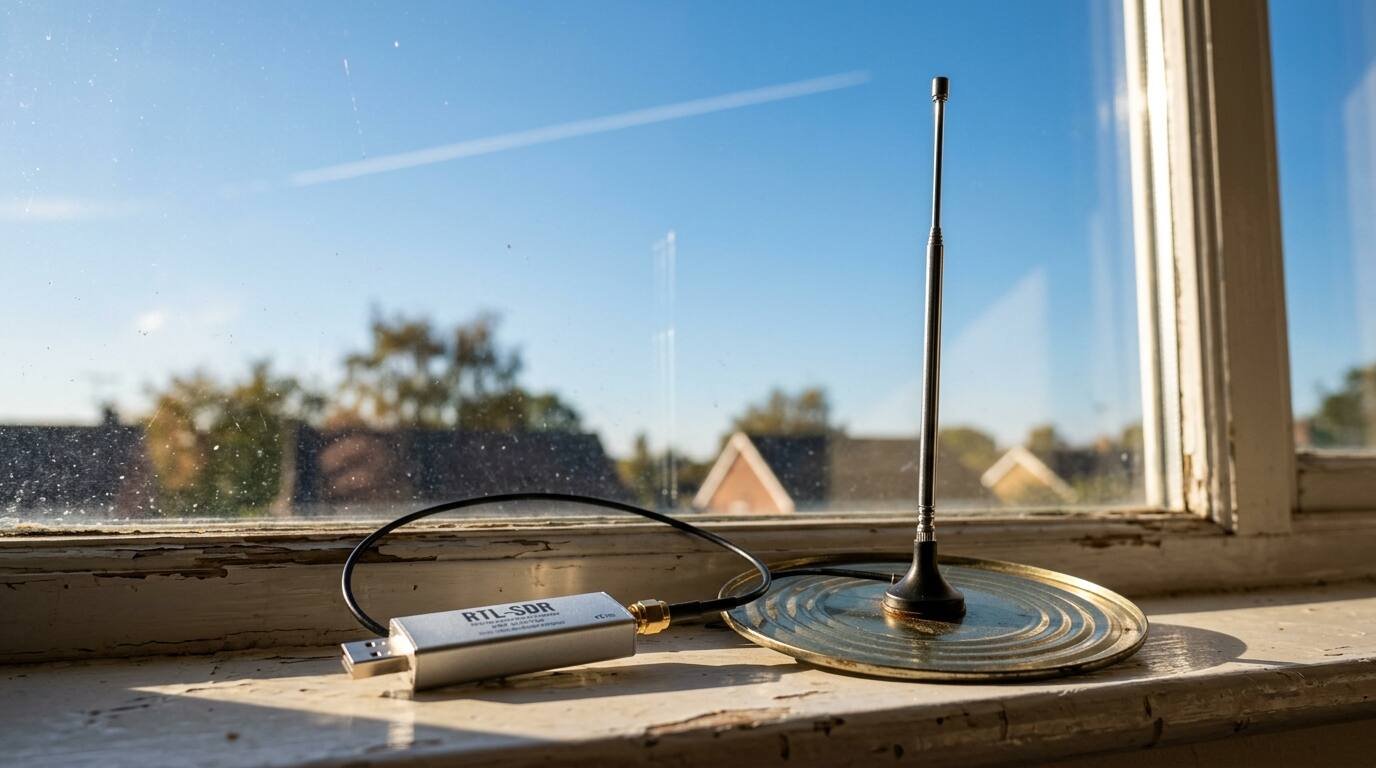
The classic guide from RTL-SDR.com recommends a dongle with an R820T or R820T2 tuner. That article dates from 2013, and it says as much, so treat its software list as history. Search for an RTL-SDR receiver with an SMA antenna connector, a 1090 MHz antenna or the stock telescopic whip, and a Raspberry Pi if you want an always-on station. No specific retail listing is linked here, because none could be verified against the retailer’s own product page.
Polarization matters first: ADS-B is vertically polarized, so the antenna must stand upright. Then length. The same guide gives two stock-whip recipes:
- With a metal ground plane about 6.5 cm in radius, such as a large can lid, cut the whip to about 6.5 cm.
- With no ground plane, collapse it to its shortest length, around 9.5 cm, and keep it off metal.
- A coax collinear with 4 to 6 elements is, in the guide’s words, probably enough; more elements flatten the pattern and hurt reception.
For scale, a free-space quarter wavelength at 1090 MHz is c/f/4, about 6.9 cm, so the 6.5 cm figure sits in the right neighborhood.
Signals at this frequency travel line of sight. Height beats everything: a clear view above trees and buildings matters more than a clever antenna. Keep the coax short and decent (the guide names RG-6 coax as an example), and if strong nearby transmitters overload the dongle, a 1090 MHz filter or low-noise amplifier can help.
Step-by-step setup
- Plug the dongle into the Pi or PC and attach the antenna, vertical and as high as the cable allows.
- Install a decoder. readsb, a descendant of the original dump1090 by way of dump1090-mutability, dump1090-fa and Mictronics readsb, is the decoder used in this guide, and its README points to an automated install script. If you build it yourself,
make RTLSDR=yescompiles in RTL-SDR support (it needs librtlsdr). - Test the decoder. The README’s own example runs with the dongle selected, automatic gain and a console table of planes.
- Add a map. tar1090 is a web interface that sits beside an existing readsb or dump1090-fa install; it needs apt, so Raspberry Pi OS, Debian or Ubuntu.
- Open the map in a browser at the Pi’s address followed by /tar1090.
# test run: console table of planes, RTL-SDR, automatic gain
./readsb --quiet --net --device-type rtlsdr --gain auto --interactive

# add the web map (Raspbian, Debian or Ubuntu with apt)
sudo bash -c "$(wget -nv -O - https://github.com/wiedehopf/tar1090/raw/master/install.sh)"
# then browse to http://192.168.x.yy/tar1090
The README warns that its --help text can lag behind the code, so check a freshly compiled binary. The README also lists --lat and --lon for your receiver coordinates. A Pi-based box also doubles as a home server; see our guide to a CanaKit Raspberry Pi 5 starter kit for what that hardware involves.
Tuning and troubleshooting
Gain is the first dial. readsb uses a software gain algorithm by default; --gain=auto runs it quietly and --gain=auto-verbose logs each change. RTL-SDR.com suggests checking which tuner gain settings work best at 1090 MHz before settling on one.
Interference is the second. RTL-SDR.com says it can overload the dongle and degrade ADS-B reception, which is the case the 1090 MHz filter or low-noise amplifier mentioned earlier is meant for. If your antenna sits away from the computer, RTL-SDR.com also suggests a powered USB extension so the dongle can live beside the antenna and the short run of coax stays short.
The README’s example command lists network ports, including --net-sbs-port 30003 and --net-bo-port 30005, for feeding other software. A logger or a second viewer can attach to those ports and read the same stream without needing a second dongle.
What you can and cannot see
You see aircraft that carry a working transponder, inside your radio horizon. Wikipedia notes that aircraft without a transponder will not be shown. UAT traffic on 978 MHz never appears on a 1090 MHz receiver. Some owners also keep flights off public trackers: the FAA’s LADD program blocks tracking data from participating services, though the article adds that the data may still be available from non-FAA sources.
Range depends on antenna height and what stands between you and the horizon, not on the dongle alone. Coverage is also lopsided: a hill to the north shortens the map to the north and nowhere else. The same guide notes that collinear antennas pick up distant sources near the horizon best.
One caution from RTL-SDR.com: the dongle should not be used for ADS-B navigation in a real aircraft, for safety reasons.
Legal note
ADS-B messages are unencrypted, and Wikipedia says they may be read by anybody. The FAA says ADS-B In, the cockpit receiving side, needs no authorization for basic traffic situational awareness. Neither source speaks to whether a ground hobbyist may receive and publish the data in a given country, and no source here settles it. Check your own national rules before you share a feed.
Parts list
- RTL-SDR Blog V3 R860 RTL2832U 1PPM TCXO HF Bias Tee SMA Software Defined Radio with Dipole Antenna Kit: A dongle with an SMA connector and a dipole antenna kit, enough to start receiving 1090 MHz aircraft signals. See it on Amazon (affiliate link)
As an Amazon Associate I earn from qualifying purchases. A commission may be earned if you buy through this link, at no extra cost to you.
Sources