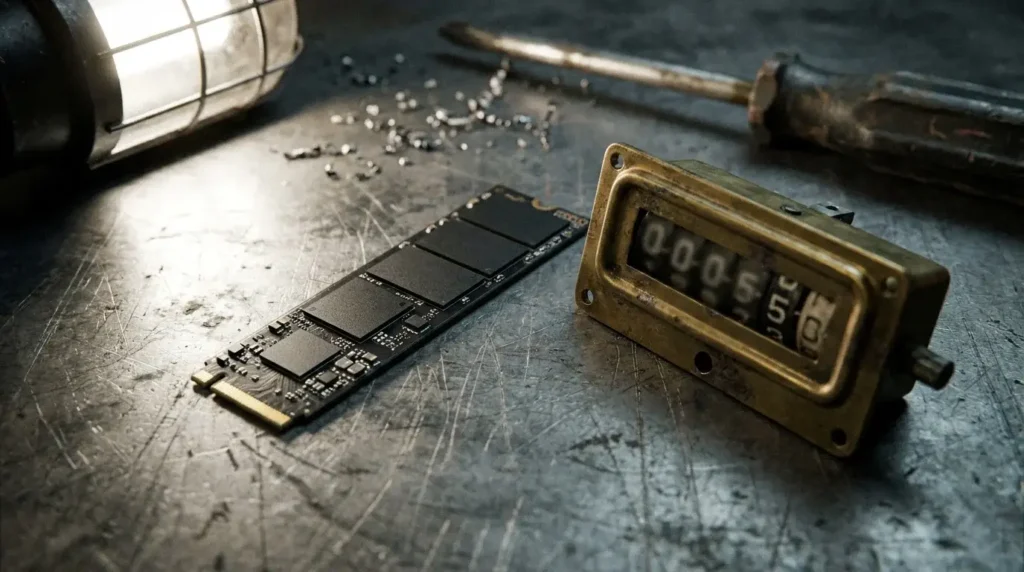
A Python script inserted 2,000 rows into a SQLite database, eight bytes of text per row, 16,000 bytes in all. The Linux kernel’s I/O counter for that process recorded 49,295,360 bytes sent to the disk. That is 3,081 bytes of writing for every byte of data, and it happened before the SSD’s own controller added a single extra write of its own. Flash storage wears by the write, so the question of how long an SSD lasts is mostly a question of how many layers between an application and the NAND are quietly multiplying the load.
Why NAND flash has a finite number of writes
Every program and erase cycle scuffs the insulation a little more
A flash cell stores data as trapped electrical charge, held in place by a thin insulating layer. Kioxia’s SSD NAND endurance technical brief (March 2021) describes the wear in plain terms: with each program/erase (P/E) cycle, “the oxide layer within the cell degrades ever so slightly, resulting in a finite life expectancy of the cell.” Erasing hurts too: “The erase process discharges flash memory cells, and as it repeats, the oxide layer of the NAND chip minutely wears down.” Eventually “the oxide layer weakens and cannot hold the electrical charge required for storing data.”
Packing more bits into each cell makes the problem worse. The same brief ranks endurance from highest to lowest as SLC, MLC, TLC, QLC. It gives no cycle counts, and neither does this post; any specific P/E figure for a consumer drive has to come from the manufacturer of that drive.
Wear also shortens how long data survives without power. A separate Kioxia data retention brief (March 2024) says retention “is highly influenced by the P/E cycle count,” with ambient temperature as the other major factor. A worn drive is a leakier tank.
Pages, blocks and write amplification
The drive writes in teaspoons and erases by the bucket
Flash is written in pages and erased in whole blocks of pages. Cactus Technologies’ SSD primer on garbage collection (2015, updated 2019) puts it plainly: “A block is the smallest erasure unit of NAND flash,” and “A page of data can be written as long as it is already erased.” To reclaim a block that still holds some live data, “first any valid data in that block needs to be copied and written to the erased pages in a new NAND block.” Those copies are writes the host never asked for.
The ratio has a name. Solidigm’s write amplification explainer (dated October 6, 2026) puts it as a formula, Write_Amplification_Factor = NAND_Writes_GB / Host_Writes_GB, with the example of a host writing 4 GB while the drive writes 5 GB, a WAF of 1.25. It notes that “For 100% sequential write workloads, the WAF is roughly 1,” and that random-write-heavy workloads push it higher. Kioxia’s brief adds: “The most ideal WAF is 1.”
The SNIA NVMe, SAS and SATA endurance white paper (March 2021) gives rough ranges for enterprise drive classes: “WAF will be close to 1 for sequential workload, close to 5 for 1 DWPD class drive, 2-3 for 3 DWPD class drive.” It also says “WAF is inversely proportional to the amount of overprovisioning,” the spare flash a drive keeps hidden from the host. More empty room means the controller can wait for blocks to go fully stale before erasing them, and moves fewer valid pages in the meantime.
Solidigm’s formulas connect the pieces: host write endurance equals raw NAND capacity times the maximum P/E cycles, divided by WAF. Halve the WAF and the same flash takes twice the writes from the host.
TBW and DWPD: the warranty arithmetic
A drive’s endurance rating is a mileage cap printed on the box
Manufacturers summarize all of this in a single endurance number. Kioxia’s brief defines TBW as “the total amount of data written to the SSD over the specified lifetime” and DWPD as “how many times an SSD’s usable capacity can be overwritten in 24-hours within the specified lifetime,” with the conversion TBW = DWPD × capacity in TB × years × 365.
The test conditions behind those ratings come from JEDEC. The SNIA paper’s table of the JESD218 classes lists client drives at 40°C for 8 hours a day of active use, with power-off retention of 1 year at 30°C and an uncorrectable bit error rate of at most 10⁻¹⁵; enterprise drives run 55°C around the clock with 3 months of retention at 40°C. That retention line is the part home users miss: the rating assumes a drive at the end of its rated life still holds data for a year unpowered at a mild temperature, not indefinitely in a hot attic.
Samsung’s 990 PRO datasheet (Rev. 1.0, October 2022) rates the 1 TB model at 600 TBW and the 2 TB model at 1,200 TBW, both with a 5-year limited warranty, on V-NAND TLC. Run through Python:
1TB 990 PRO: 600 TBW over 5y = 0.329 DWPD = 329 GB/day for 5 years
2TB 990 PRO: 1200 TBW over 5y = 0.329 DWPD = 658 GB/day for 5 years
  at 20 GB/day host writes: 1TB model reaches 600 TBW in 82.2 years
  at 50 GB/day host writes: 1TB model reaches 600 TBW in 32.9 years
  at 100 GB/day host writes: 1TB model reaches 600 TBW in 16.4 years
  at 300 GB/day host writes: 1TB model reaches 600 TBW in 5.5 years
And the Solidigm relationship, with illustrative inputs (1 TB of raw flash, 1,000 or 3,000 P/E cycles; these are round numbers for the arithmetic, not specifications of any drive):
  raw 1.0TB, 1000 P/E, WAF 1: host endurance 1,000 TB
  raw 1.0TB, 1000 P/E, WAF 2: host endurance 500 TB
  raw 1.0TB, 1000 P/E, WAF 5: host endurance 200 TB
  raw 1.0TB, 3000 P/E, WAF 1: host endurance 3,000 TB
  raw 1.0TB, 3000 P/E, WAF 2: host endurance 1,500 TB
  raw 1.0TB, 3000 P/E, WAF 5: host endurance 600 TB
Going from a WAF of 1 to 5 cuts host endurance by 80%, on flash that is identical in every row; only the workload moved.

The amplification above the drive, measured
Before the controller multiplies anything, the software already has
The SQLite numbers in the opening came from a test on an Ubuntu 24.04 container with an ext4 filesystem on a virtual disk. The script read write_bytes from /proc/self/io, which the kernel’s proc documentation describes as an “Attempt to count the number of bytes which this process caused to be sent to the storage layer.” It ran three ways: SQLite’s default rollback journal with every insert committed separately, the same with write-ahead logging, and all inserts inside one transaction.
rollback rows=2000 payload=16000 B  bytes written to storage=49,295,360 B  ratio=3,081x
wal    rows=2000 payload=16000 B  bytes written to storage=16,633,856 B  ratio=1,040x
batch  rows=2000 payload=16000 B  bytes written to storage=86,016 B  ratio=5x
Each separate commit rewrites at least a whole database page plus journal bookkeeping, so eight bytes of data drag kilobytes of disk writes behind them. SQLite’s WAL documentation says a connection “defaults to journal_mode=DELETE” and that WAL “uses many fewer fsync() operations,” which is consistent with the threefold drop. Batching into one transaction cut writes by a factor of about 570 against the default.
These layers multiply. If the drive’s own WAF were 2, the default-mode run would have cost roughly 98.6 MB of NAND writes to store 16 KB. A home server running a chatty database, a metrics collector or a container that logs every request can wear an SSD far faster than its file sizes suggest. The earlier post on backing up a live SQLite database covers the WAL settings from the safety side.
Reading the SMART wear counters
The gas gauge reads one side of the pipe
NVMe drives report wear in a standard health log, readable with nvme smart-log /dev/nvme0 or smartctl -a /dev/nvme0 (the smartctl health post covers the tooling). The test container’s virtual disk exposes no SMART data, so no live log appears here; the definitions below come from the documentation.
Microsoft’s documentation of the NVMe health information log defines the main fields:
- Percentage Used: “a vendor specific estimate of the percentage of NVM subsystem life used, based on the actual usage and the manufacturer’s prediction of NVM life.” A value of 100 means the estimated endurance is consumed “but may not indicate an NVM subsystem failure.” It “is allowed to exceed 100,” and it “is updated once per power-on hour.”
- Available Spare: “a normalized percentage (0 to 100) of the remaining spare capacity available.” The libnvme man page adds that when it falls below the Available Spare Threshold, “an asynchronous event completion may occur.”
- Critical Warning: a set of bits, including one for spare space below threshold, one for degraded reliability “due to significant media related errors,” and one for media “placed in read only mode.”
- Data Units Written: reported “in thousands,” where 1 means 1,000 units of 512 bytes.
That last unit trips up anyone reading raw numbers. One data unit is 512,000 bytes, so a counter of 1,171,875 converts to exactly 0.600 TB, the full rated endurance of a 1 TB 990 PRO.
Percentage Used is, in the SNIA paper’s words, “the gas gauge that shows total endurance used.” The gauge has a blind spot. Kingston’s SSD SMART attribute reference lists the standard NVMe fields, and the only write counters among them (Data Units Written, Host Write Commands) count what the host sent. No standard field counts NAND writes, so the drive’s actual WAF cannot be computed from the standard log. The wear estimate comes from the manufacturer’s model of its own flash.

Where people get burned
Real failure modes, from a firmware bug to a hot closet
The gauge itself was wrong. In February 2023 Tom’s Hardware reported that Samsung 990 PRO owners were seeing health readings drop rapidly, and that Samsung shipped firmware 1B2QJXD7 through its Magician utility. A Samsung forum moderator quoted there said the anomalies “were caused by problems with the firmware of the 990 Pro SSD” and that “The S.M.A.R.T. values are not reset to factory defaults after updating the firmware.” The fix stopped the decline; it did not give the lost percentage back.
Small synchronous writes. The SQLite test shows the pattern: per-row commits on a default journal turned 16 KB into 49 MB. Applications that fsync constantly are the most expensive tenants an SSD can have.
A full drive with no spare room. With the SNIA paper’s rule that WAF falls as over-provisioning rises, a drive kept at 95% full gives the controller less empty space to work with than one kept half empty.
Reading 100% as dead, or as fine. The NVMe definition says 100 is an estimate of consumed endurance that “may not indicate” failure. It does not say the drive will keep working, either. Past that line, the retention promise in the JEDEC class shrinks toward nothing documented.
A worn drive in a drawer. The client retention class assumes 30°C for a year. A used SSD pulled as an archive and stored unpowered somewhere warm is outside the conditions the rating describes, and Kioxia ties retention directly to both wear and temperature.
The case against worrying about wear at all
For most desks, the odometer will outlast the car
The arithmetic above cuts against its own alarm. A 1 TB drive rated at 600 TBW takes 82 years to reach that rating at 20 GB of writes a day, and still more than 16 years at 100 GB a day. For a desktop that browses, edits documents and installs games, write endurance is unlikely to be the part that fails first, and the old advice to disable swap, move browser caches to RAM or avoid defragmenting tools buys protection against a limit the drive will probably never reach.
The harder point under it: the one number that tracks wear is an estimate the manufacturer computes about its own product, and the 990 PRO episode showed that estimate can be wrong in either direction for reasons that have nothing to do with flash. The counter worth trusting most is Data Units Written, because it is a plain tally of host writes. Everything downstream of it, the WAF, the P/E budget, the percentage, sits inside the drive where the standard log cannot see.
Home-lab boxes are the exception. A Raspberry Pi booting from NVMe running a database, a logging stack and a few containers is exactly the workload of small, constant, synchronous writes that turns 16 KB into 49 MB. The data center side of the story, where drives are bought by DWPD class, is in the post on PCIe 6.0 SSDs.
What does nvme smart-log report for Data Units Written on the busiest drive in the house, and how many years of power-on hours did it take to get there?
Sources
- Kioxia, SSD NAND Endurance Tech Brief (March 2021): https://americas.kioxia.com/content/dam/kioxia/en-us/business/memory/asset/KIOXIA-SSD-NAND-Endurance-Tech-Brief.pdf
- Kioxia, NAND Flash Data Retention Technical Brief (March 2024): https://americas.kioxia.com/content/dam/kioxia/en-us/business/memory/mlc-nand/asset/KIOXIA_NAND_Flash_Data_Retention_Technical_Brief.pdf
- Solidigm, What Is Write Amplification? (Oct 6, 2026): https://www.solidigm.com/support-page/maintenance-tools/ka-00015.html
- SNIA, NVMe SAS SATA Endurance White Paper (March 2021): https://www.snia.org/sites/default/files/SSSI/NVMe_SAS_SATA_Endurance_White_Paper.pdf
- Samsung, NVMe SSD 990 PRO Datasheet Rev. 1.0 (October 2022): https://download.semiconductor.samsung.com/resources/data-sheet/Samsung_NVMe_SSD_990_PRO_Datasheet_Rev.1.0_10129514072296.pdf
- Linux kernel documentation, The /proc Filesystem: https://docs.kernel.org/filesystems/proc.html
- SQLite, Write-Ahead Logging: https://www.sqlite.org/wal.html
- Microsoft Learn, NVME_HEALTH_INFO_LOG structure: https://learn.microsoft.com/windows/win32/api/nvme/ns-nvme-nvme_health_info_log
- Ubuntu manpages, nvme_smart_log(2): https://manpages.ubuntu.com/manpages/noble/man2/nvme_smart_log.2.html
- Cactus Technologies, Solid State Drive Primer #11, Garbage Collection (July 6, 2015; modified April 26, 2019): https://www.cactus-tech.com/resources/blog/details/solid-state-drive-primer-11-controller-functions-garbage-collection/
- Kingston, SSD SMART attribute reference: https://media.kingston.com/support/pdf/ssd-smart-attribute.pdf
- Tom’s Hardware, Samsung 990 Pro Firmware Update Addresses Failing SSD Health (Feb 13, 2023): https://www.tomshardware.com/news/samsung-990-pro-firmware-update-released-ssd-health