




Wetting, flux and temperature explained, with a do and don't list, a look at good versus cold joints, and a troubleshooting table, all drawn from NASA workmanship criteria, Adafruit and reference sources.
Solder does not glue metal together. According to Wikipedia’s soldering article, heat melts the filler so it can bond to the workpieces “in a surface alloying process called wetting.” When that alloying never happens, the result is a joint that looks attached and is not. The same article says a cold-soldered joint “may not conduct at all, or may conduct only intermittently,” which explains why one bad pin can cost an evening of chasing a fault that comes and goes.
Three variables control the outcome: whether the metal surfaces are clean enough to wet, whether flux is doing its job, and whether enough heat reaches both parts of the joint for long enough. What follows treats each in turn, then sets out a do and don’t list, a visual guide to good and bad joints, and a troubleshooting table. Everything is drawn from published sources, and the notes say where the sources stop.
Why wetting decides everything
Metal surfaces in air carry a thin layer of oxide, and molten solder will not alloy through it. The flux article lists three jobs for flux: it removes oxidized metal from the surfaces being joined, seals out air so oxidation does not return while the joint is hot, and improves the wetting characteristics of the liquid solder.
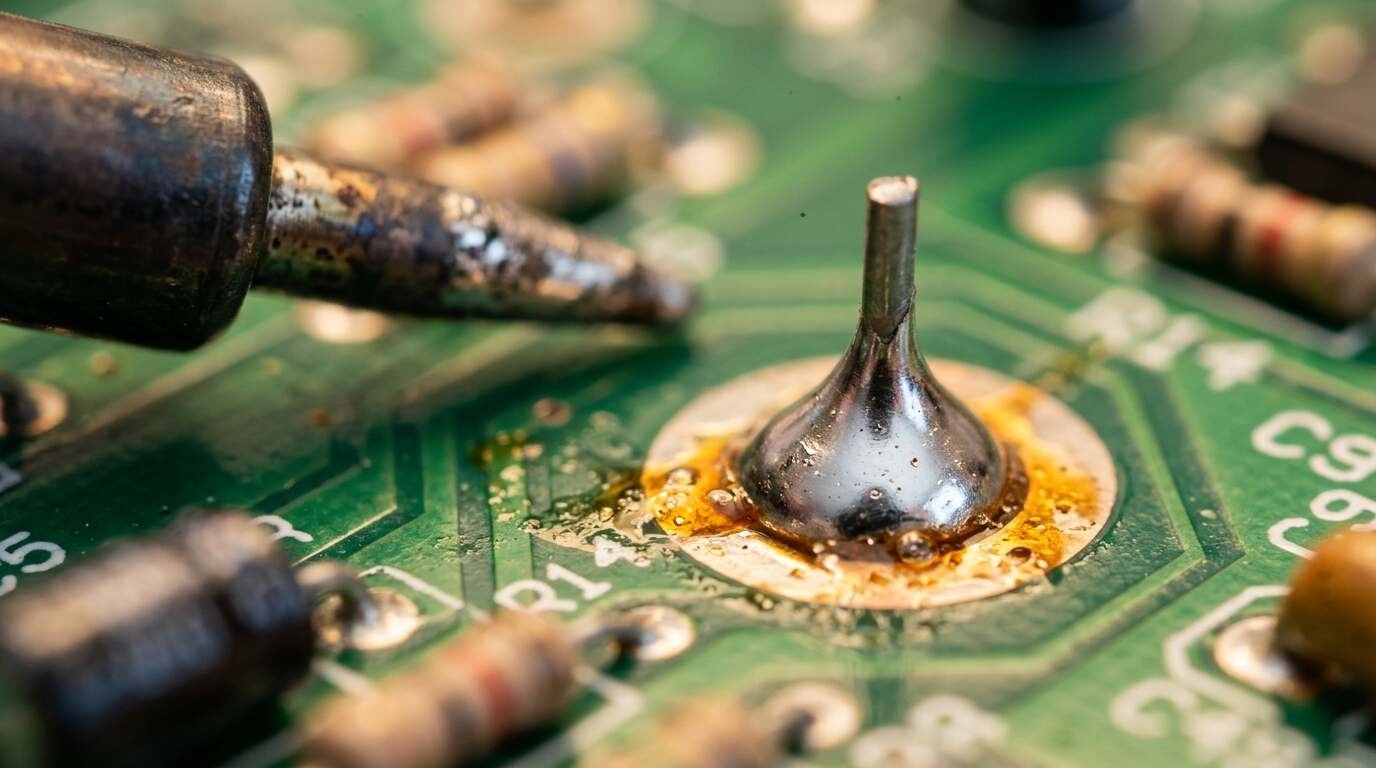
Failure shows up as beading. NASA’s through-hole workmanship criteria say nonwetting “results in the solder forming a ball or beading on the termination surface,” and that poor wetting “is an indicator of poor solderability, improper flux or contamination.” In other words, a ball of solder sitting on a lead is a surface problem first and a heat problem second.
Flux comes in families. Rosin is described as “virtually nonreactive and noncorrosive at normal temperature,” and no-clean formulations are designed so residue can stay on the board. Water-soluble types are usually halide-based and leave highly corrosive residues if not washed away. The strongest warning comes from Adafruit: acid-core solder and acid flux, the kind sold for plumbing, stained glass and jewelry, must never touch electronics because the acid “will eat away and destroy your soldered connections.”
Temperature: melting point versus iron setting
Two numbers are worth separating. Eutectic Sn63/Pb37 solder melts at 183 °C, while lead-free tin-silver-copper solders melt at 217 to 220 °C, per Wikipedia. The setting on the iron is a different figure. Adafruit’s preparation page suggests 700 °F (370 °C) for 60/40 solder and 750 °F (400 °C) for lead-free, and its tools page adds that lead-free solder may need more heat and more flux than leaded.
The sources do not explain the gap between melting point and tip setting, so this guide will not guess at it. They do agree on power: Adafruit recommends pencil irons of 25 watts or more for most projects, and Wikipedia states that a 25-watt iron “will not provide enough heat for large electrical connectors.”
Too much heat is a defect of its own. NASA describes overheated solder as having “a dull, gray, frosty and/or crystallized appearance,” the result of excessive exposure to heat. A cold joint, by the same standard, indicates “inadequate heat.” The workable window sits between the two, and the sources give no seconds-per-joint figure beyond Adafruit’s advice to heat “another second or two” if the solder will not flow.
Do and don’t
Do
- Heat the pad and the lead together. Adafruit says to be sure to heat both the solder pad and the component pin.
- Touch the solder wire to the joint, so it contacts both pad and lead, rather than to the iron tip.
- Let the solder fill the hole and flow smoothly onto the pad and lead, then remove the iron and let the joint cool undisturbed.
- Keep the tip clean with a damp sponge and a thin, shiny coat of solder. Adafruit warns against files and abrasives on the tip.
- Trim leads just above the joint; long leftovers can short against nearby traces.
- Ventilate. Adafruit calls lead poisonous and advises a ventilated area, outdoors, or a filtered fan for more than a few joints.
Don’t
- Move the part while the solder is solidifying. Wikipedia defines a dry joint as one where “the cooling solder is moved.”
- Reach for acid flux or acid-core solder on electronics under any circumstance.
- Pile on solder to hide a poor connection; a blob may not wet the pin or pad at all, per Adafruit.
- Heat only the pin, or only the pad. Adafruit traces incomplete wetting on either side to uneven heating.
- Leave corrosive flux residue behind. The flux article says parts must be cleaned after soldering with some fluxes.
Anyone fixing gear at home may pair this list with our iFixit Mako driver kit review, and the legal side of repair is covered in the right-to-repair explainer.
Good joint, cold joint: what to look for
NASA-STD-8739.3, as reproduced on the agency’s workmanship site, describes an acceptable through-hole joint this way: the surface is “smooth, nonporous and undisturbed, with a finish varying from satin to bright,” and the fillet “completely wets all elements to the periphery of the connection and is concave.” Concave means the solder sweeps up the lead like a tent, not a sphere sitting on top.
The defect descriptions are just as specific. Adafruit’s guide describes a cold joint as having a rough or lumpy surface because the solder never fully melted. A disturbed joint looks frosted or crystalline and comes from movement during solidification. NASA adds the rosin joint: similar in appearance to a cold joint, but showing evidence of entrapped flux.
Appearance is a screening tool, not a guarantee, and the sources claim no more than that. A dull surface can come from two different causes (too little heat or too much), and the fix depends on which. The Adafruit fixes for those cases mostly begin with reheating the joint.
Troubleshooting table
| Symptom | Cause named by the source | Fix |
|---|---|---|
| Rough or lumpy surface | Solder never fully melted (cold joint) | Reheat until it flows; draw off excess with the tip |
| Frosted, crystalline surface | Joint moved while solidifying (disturbed joint) | Reheat and let it cool undisturbed; immobilize the work |
| Burnt flux residue, poor flow | Excess heat (overheated joint) | Scrape or brush off burnt flux with isopropyl alcohol and a toothbrush, then redo it |
| Solder wets the lead but not the pad | Dirty board, or pad not heated with the pin | Put the tip at the base of the joint until solder flows over the pad |
| Pad partly wetted, pin bare | Pin not heated; solder had no time to flow | Reheat, add solder, touch both pin and pad |
| Thin, weak-looking joint | Solder starved; stress cracks are a risk | Reheat and add solder |
| Blob that covers nothing | Too much solder | Draw it off with the tip, or use a sucker or wick |
| Neighboring joints fused | Solder bridge | Drag the hot tip between them; wick if heavy |
| Pad lifted off the board | Overworking or desoldering | Fold the lead to an intact trace and solder it there |
The recovery routine in Adafruit’s guide applies to every row: let the joint cool, clean and tin the iron, remove burnt flux, let the iron reach temperature, and try again.
Safety notes
Lead is described by Adafruit as poisonous, able to accumulate in the body through inhalation, ingestion or skin contact. The guide adds that the amount in traditional solder is usually too low to cause immediate health problems, and that lead-free solder is generally considered safer. Wikipedia’s flux entry notes that acid-type fluxes, which are not used in electronics, can harm people and call for gloves, goggles and ventilation. Neither source gives a ventilation rate or a burn-treatment procedure, so consult the safety data sheet for the solder and flux in your hands.
Sources
- Wikipedia, “Soldering”
- Wikipedia, “Flux (metallurgy)”
- NASA Workmanship Standards, through-hole soldering general requirements (NASA-STD-8739.3)
- Adafruit, Guide to Excellent Soldering: Tools
- Adafruit, Guide to Excellent Soldering: Preparation
- Adafruit, Guide to Excellent Soldering: Making a good solder joint
- Adafruit, Guide to Excellent Soldering: Common problems