Failed to parse service restart specifier, ignoring: on-falure. That is what systemd says about a one-letter typo in Restart=on-failure, and the word that matters is the last one. The checker that printed the warning exited with status 0, the unit would load, and the service would run without any restart policy at all. Unit files fail politely. The service that was supposed to come back after a crash simply stays down, and the only record of why is a line nobody read.
The test bench, and what it can’t do
A unit checker runs fine in a container; a service manager does not
The unit files on this page were checked with systemd-analyze verify on an Ubuntu 24.04 test container running systemd 255. That tool parses unit files the way the service manager would and reports what it rejects or ignores. What the container could not do is boot systemd as PID 1, so nothing here was started, enabled or restarted for real. Where the text describes runtime behavior, it comes from the systemd manuals, linked at each point.
The split happens to fit the problem. Most broken unit files load without complaint, so the check that earns its keep is the one that reads the file before the service gets a chance to fail quietly.

A unit file that works
Seventeen lines, three sections, every line earning its place
The example is a small Python script that runs forever and logs a line a minute, the shape of most home-lab services: a sensor logger like the x9m8 BME280 temperature, humidity and pressure logger, a bot, a little web app.
# /etc/systemd/system/sensor-logger.service
[Unit]
Description=Sensor logger (home lab)
After=network-online.target
Wants=network-online.target
StartLimitIntervalSec=300
StartLimitBurst=5

[Service]
Type=exec
User=sensor
Group=sensor
WorkingDirectory=/var/lib/sensor-logger
ExecStart=/usr/bin/python3 /usr/local/bin/sensor-logger.py
Restart=on-failure
RestartSec=5
Environment=PYTHONUNBUFFERED=1

[Install]
WantedBy=multi-user.target
On the test container:
$ systemd-analyze verify ./sensor-logger.service
$ echo $?
0
Clean. Files written by an administrator go in /etc/systemd/system, which the systemd.unit manual lists as the home of “System units created by the administrator.” After saving or editing one, the manager has to reread it: systemctl daemon-reload will “reload all unit files,” per the systemctl manual. Then:
sudo systemctl daemon-reload
sudo systemctl enable --now sensor-logger.service
systemctl status sensor-logger.service
journalctl -u sensor-logger.service
The --now does real work. The same manual says plain enable “does not have the effect of also starting any of the units being enabled.” Enable alone means “start at next boot,” and a service enabled without --now sits unstarted until the next power cut, whenever that comes.
What each directive does
Ordering, users, restarts and the [Install] section that only matters once
Type=exec. The default, Type=simple, considers the unit started the moment the process is forked, and the systemd.service manual warns that it “will report success even if the service’s binary cannot be invoked successfully.” Type=exec waits until the binary has actually been executed and “will report failure” if it can’t be. For a script that runs and exits, such as a backup job, Type=oneshot treats the unit as up only after the main process exits. The manual calls forking discouraged.
User= and Group=. System services run as root unless told otherwise; the systemd.exec manual gives “root” as the default. A logger that reads a sensor does not need root. Create the account first (sudo useradd --system --home /var/lib/sensor-logger --create-home sensor), because the same manual says that if the user does not exist, “program invocation will fail.”
WorkingDirectory=. If unset, a system service starts in the root directory, /. A script that opens config.ini with a relative path will look for /config.ini. Setting WorkingDirectory=~ uses the home directory of the User= account, per the systemd.exec manual.
After= and Wants=. These are two different jobs. After= controls order only; Wants= pulls the other unit in. The systemd.unit manual says ordering settings are “independent of and orthogonal to the requirement dependencies,” and calls including a unit in both “a common pattern.” Network ordering has its own trap: the systemd.io page on network targets says that when network.target is reached, whether any interfaces are configured “is not defined.” A service that must reach the network at start needs After=network-online.target and Wants=network-online.target together.
Restart= and RestartSec=. Restart= defaults to no. on-failure restarts on a non-zero exit, an unclean signal, a timeout, a watchdog expiry or an OOM kill, but not after a clean exit; always restarts regardless (systemd.service manual). RestartSec= “defaults to 100ms.”
[Install] and WantedBy=. This section is read once, by systemctl enable, which creates a symlink in the .wants/ directory of each listed unit. The systemd.unit manual says flatly that “systemd does not look at the [Install] section at all during normal operation.” multi-user.target is the usual hook for a service that should run on a normal boot, graphical or not.
Silent failures, tested
Eight broken files, and the two the checker actually failed
Each of these was run through systemd-analyze verify on the test container. The “IPv6 not available” notice the container prints on every run is trimmed from the output.
A typo in a value and a typo in a key:
[Service]
ExecStart=/tmp/su/backup.sh
Restart=on-falure
RestartSec=5
User=nobody
Enviroment=FOO=bar
typo.service:7: Failed to parse service restart specifier, ignoring: on-falure
typo.service:9: Special user nobody configured, this is not safe!
typo.service:10: Unknown key name 'Enviroment' in section 'Service', ignoring.
exit=0Three warnings, exit code 0. The restart policy and the environment variable are simply gone, and the unit loads as though those lines were never written.
A good setting in the wrong section:
[Unit]
Description=Restart in wrong section
Restart=always
wrongsection.service:3: Unknown key name 'Restart' in section 'Unit', ignoring.
exit=0The reverse happens with start limits, which belong in [Unit]. Putting StartLimitIntervalSec=300 under [Service] produced Unknown key name 'StartLimitIntervalSec' in section 'Service', ignoring. and, again, exit 0.
Shell syntax in ExecStart:
ExecStart=~/bin/backup.sh > /var/log/backup.log 2>&1tilde.service:5: Neither a valid executable name nor an absolute path: ~/bin/backup.sh
tilde.service: Unit configuration has fatal error, unit will not be started.
exit=1The tilde was caught. Remove it and the redirect sails through: ExecStart=/tmp/su/backup.sh > /var/log/backup.log 2>&1 verified with exit 0, and so did ExecStart=/usr/local/bin/sensor-logger.py | tee /var/log/sensor.log. Neither works the way it reads. The systemd.service manual lists redirection with > and pipes with | among things that “are not directly supported.” ExecStart has no shell, so > and | become literal arguments handed to the script. The documented way to get a shell is to ask for one: ExecStart=sh -c 'dmesg | tac'. A plainer fix is to drop the redirect entirely, because a service’s output already goes to the journal.
A user that does not exist, and a target name with a typo:
User=ghostuser                      # verify exit=0
WantedBy=multi-user.taget           # verify exit=0
Both passed. The missing user fails at start time, not at check time. The misspelled target is worse in its quiet way: enable creates its symlink in the .wants/ directory of each listed unit, and a target named multi-user.taget is one nothing ever starts, so the service never comes up at boot and nobody is told.
A missing script:
noexec.service: Command /opt/app/run.sh is not executable: No such file or directory
exit=1
That one fails properly, which is the exception. Of the eight broken files checked, two returned a non-zero exit. The rest loaded with something important ignored, or with a problem that only shows up when the service tries to run.
Where people get burned
The environment, the restart loop that never ends, and the one that ends too soon
It works in a terminal and fails under systemd. A login shell carries a PATH, a HOME, aliases, virtualenvs and whatever .bashrc set up. A service gets almost none of that. The systemd.exec manual says processes started by the system manager “generally do not inherit environment variables,” and that systemd uses a fixed PATH of /usr/local/sbin:/usr/local/bin:/usr/sbin:/usr/bin. A script that calls a tool from ~/.local/bin, or python from a virtualenv, works by hand and then fails at 3 a.m. Use absolute paths in ExecStart= and inside the script, and set what the script needs with Environment= or EnvironmentFile=.
Python output that never shows up. On the test container, a one-line script that prints tick and then sleeps was run with its output going to a file instead of a terminal:
$ (env -u PYTHONUNBUFFERED python3 -c "import time; print('tick'); time.sleep(5)" > out.txt &); sleep 1; wc -c out.txt
0 out.txt
$ sleep 5; wc -c out.txt
5 out.txt
Zero bytes while the program was alive; the line only landed when it exited. A service that never exits can sit like that for a long time with an empty journal. The Python command-line docs say the -u option will “Force the stdout and stderr streams to be unbuffered,” and that setting PYTHONUNBUFFERED to a non-empty string is equivalent. That is what Environment=PYTHONUNBUFFERED=1 in the example is for; print(..., flush=True) in the script does the same job line by line.
The restart loop and the start limit. The service manual notes that restarts are subject to start rate limiting set by StartLimitIntervalSec= and StartLimitBurst=. The manager-wide defaults are 10 seconds and 5 starts, per the systemd-system.conf manual, and the unit manual says a unit started more than burst times inside the interval is “not permitted to start any more.” The arithmetic cuts both ways:
| Settings | Script crashes instantly | What happens |
|---|---|---|
Restart=on-failure, defaults (100 ms, 5 in 10 s) |
5 starts in about half a second | Hits the limit and stays failed within a second |
Restart=on-failure, RestartSec=5, default limit |
Starts at 0, 5, 10, 15 s… | At most 3 starts fit in any 10-second window, so the limit never trips and it loops forever |
RestartSec=5, StartLimitIntervalSec=300, StartLimitBurst=5 (the example) |
5 starts in about 20 seconds | Gives up after 5 tries inside 5 minutes |
That middle row is a boiler that relights itself every five seconds for a week. It fills the journal and hides the first error under ten thousand copies of itself. The table is arithmetic from the documented defaults, not a measured run, since the container could not start services. Pick a limit on purpose. After fixing the cause, systemctl reset-failed resets “the start rate limit counter” so a unit that hit the limit can be started again, per the systemctl manual.
The honest complication is that Restart= can be the wrong tool. A service that crashes because its config is broken will crash every time, and restarting it only produces noise. A service that crashes because the database was briefly unreachable deserves the retry. Automatic restarts are worth having for the second kind and actively harmful for the first, and a unit file cannot tell them apart. That is a reason to make the script exit with distinct codes and, where it matters, to list a permanent-failure code in RestartPreventExitStatus=, which the systemd.service manual describes as exit statuses that, when returned by the main process, stop automatic restarts regardless of the Restart= setting.
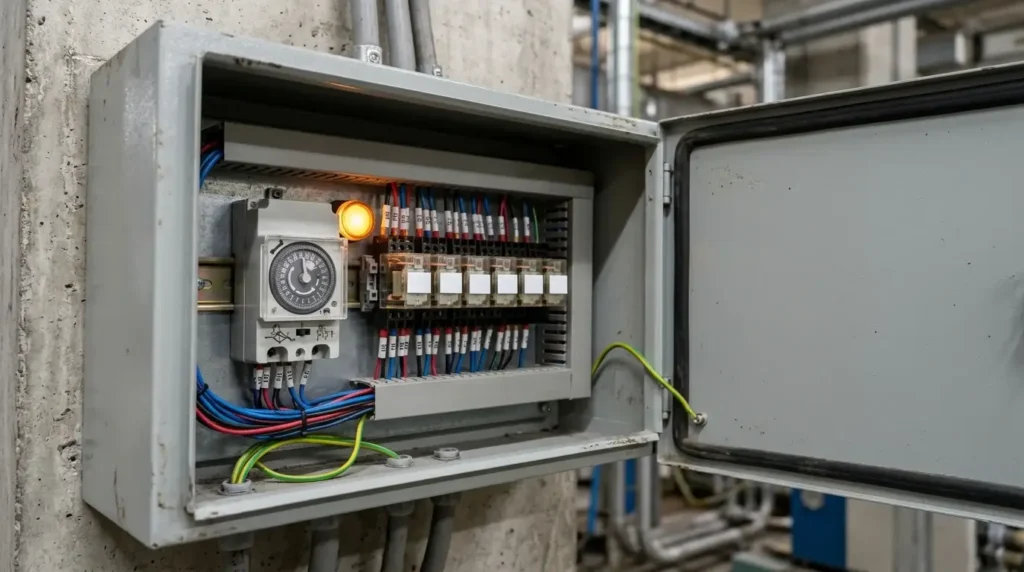
Checking a unit before it lets you down
A short preflight, in the order the failures showed up
- Run
systemd-analyze verify /etc/systemd/system/name.service, and read every line, not the exit code. Six of the eight test files passed with a problem. - Check that the
User=account andWorkingDirectory=exist:id sensor,ls -ld /var/lib/sensor-logger. - Run the exact
ExecStart=line as that user with an empty environment, which is the closest a terminal gets to what systemd provides:sudo -u sensor env -i /usr/bin/python3 /usr/local/bin/sensor-logger.py. systemctl daemon-reload, thenenable --now.systemctl cat name.serviceto see the file systemd actually loaded, including any drop-ins, which the systemctl manual describes as printing the “fragment” and “drop-ins.”systemctl statusandjournalctl -u name.servicefor the first minute of its life.
For a job that should run on a schedule rather than forever, the same service file with Type=oneshot pairs with a timer, covered along with the cron side of that trade in systemd timers vs cron. Containers are the other road for a long-running home-lab service, and self-hosting a service with Docker Compose takes it, with Docker’s own restart policies standing in for Restart=.
Somewhere tonight a unit file says Restart=on-falure, its service died at dinnertime, and the only line that could have warned anyone ends with the word “ignoring.” How many of the services on a given box would still be running if each one crashed once right now?
Sources
- systemd.service manual: https://www.freedesktop.org/software/systemd/man/latest/systemd.service.html
- systemd.unit manual: https://www.freedesktop.org/software/systemd/man/latest/systemd.unit.html
- systemd.exec manual: https://www.freedesktop.org/software/systemd/man/latest/systemd.exec.html
- systemd-system.conf manual: https://www.freedesktop.org/software/systemd/man/latest/systemd-system.conf.html
- systemctl manual: https://www.freedesktop.org/software/systemd/man/latest/systemctl.html
- systemd.io, network-online.target documentation: https://systemd.io/NETWORK_ONLINE/
- Python documentation, command line and environment: https://docs.python.org/3/using/cmdline.html