Channel 1 sits at 2412 MHz. Channel 2 sits at 2417. The Linux kernel’s own conversion function, ieee80211_channel_to_freq_khz in net/wireless/util.c, turns a 2.4 GHz channel number into a frequency with one line, 2407 + 5 × channel, and makes a single exception for channel 14 at 2484 MHz. Five megahertz between channel centers would be fine if each channel were five megahertz wide. Cisco’s voice-over-WLAN design guide puts the problem in one sentence: “Each channel is 22 MHz wide, but the channel separation is only 5 MHz.” Every rule of thumb about Wi-Fi channels grows out of that mismatch.
Why 1, 6 and 11 and not 1, 4, 8, 11
The arithmetic of a crowded hallway
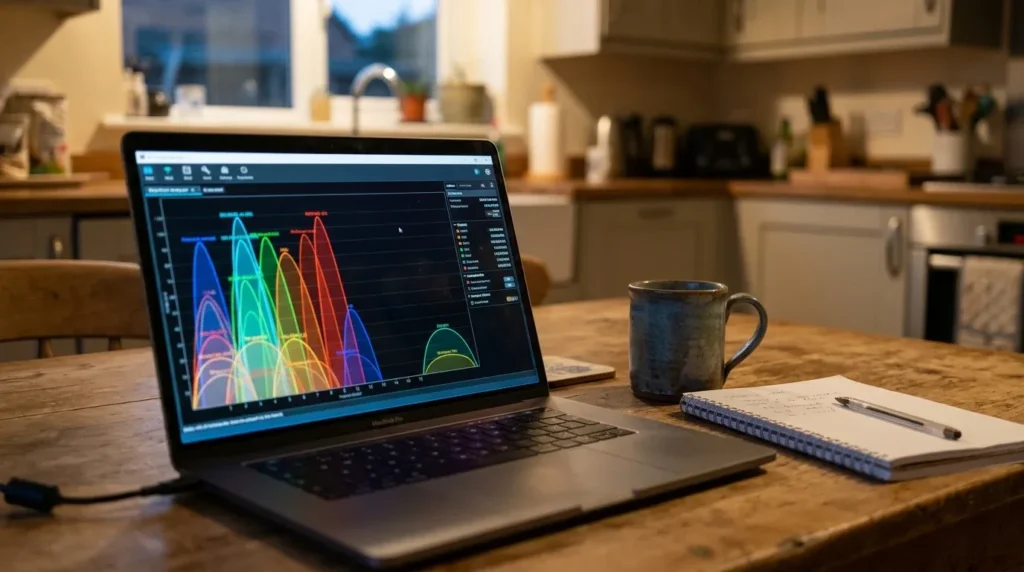
The 2.4 GHz band is a narrow hallway with eleven doors in the United States, where Cisco Meraki’s channel planning guide notes that “channels 1 through 11 are permitted,” and each tenant’s furniture spills across four or five of them. A short Python script, run on an Ubuntu test container, places each channel at the kernel’s center frequency, gives it the 22 MHz width from the Cisco guide, and measures how many megahertz each pair shares:
2.4 GHz centers (MHz): {1: 2412, 2: 2417, 3: 2422, 4: 2427, 5: 2432, 6: 2437, 7: 2442, 8: 2447, 9: 2452, 10: 2457, 11: 2462, 12: 2467, 13: 2472, 14: 2484}

Overlap in MHz between 22 MHz-wide channels (row vs col):
         1    3    4    6    8    9   11
    1   22   12    7    0    0    0    0
    3   12   22   17    7    0    0    0
    4    7   17   22   12    2    0    0
    6    0    7   12   22   12    7    0
    8    0    0    2   12   22   17    7
    9    0    0    0    7   17   22   12
   11    0    0    0    0    7   12   22

first gap with no overlap: 5 channels = 25 MHz
greedy non-overlapping set in 1-11: [1, 6, 11]
Five channel numbers of separation is 25 MHz, the first gap wider than 22. Starting at channel 1 and stepping by five lands on 6 and then 11, and channel 16 doesn’t exist, so the famous trio falls straight out of subtraction. The Meraki guide reaches the same place: “This provides three non-overlapping channels 1, 6 and 11.”
The tempting four-channel plan, 1/4/8/11, fails the table. Channel 4 shares 7 MHz with channel 1 and 2 MHz with channel 8. The Meraki guide explains why partial overlap is worse than full overlap: radios on the same channel hear each other and take turns, forming “a single broadcast domain,” while “two 802.11 devices on different channels that overlap may transmit at the same time causing a collision.” Two neighbors sharing channel 6 wait their turn. A neighbor on channel 4 and another on 6 talk over each other like two people on a party line who can’t quite hear the other voice.
David Coleman, writing for Extreme Networks, put it bluntly in 2012: “A 1-6-11 channel reuse pattern in always the proper design in North America.” (The typo is his.) He also calls the result of improper overlap “adjacent cell interference,” with “decreased throughput and increased latency.”
5 GHz: more lanes, some of them shared with radar
Federal rules decide which channels a router has to listen before it speaks
The 5 GHz band trades range for room. Meraki’s guide counts “23 20MHz wide channels in the 5 GHz spectrum” under the 802.11 standard, and the kernel’s formula there is just as plain: 5000 + 5 × channel, so channel 36 is 5180 MHz and channel 149 is 5745 MHz.
Part of that spectrum belongs to radar first. The FCC rule for these devices, 47 CFR 15.407, requires a radar detection mechanism, Dynamic Frequency Selection, for U-NII devices with any part of their emission in the 5.25 to 5.35 GHz and 5.47 to 5.725 GHz bands. The 5.15 to 5.25 GHz block (channels 36 to 48) and the 5.725 to 5.85 GHz block (149 to 165) carry no such requirement, so they are the channels any 5 GHz radio can use without first listening for radar.
The DFS rules are specific, and they explain behavior that otherwise looks like a broken router:
| DFS requirement in 47 CFR 15.407(h) | Value |
|---|---|
| Listen for radar before using a channel (channel availability check) | 60 seconds |
| Stop transmitting after radar is detected | within 10 seconds |
| Normal traffic allowed after detection | up to 200 ms |
| Channel stays off-limits after a radar hit (non-occupancy period) | at least 30 minutes |
Values from 47 CFR 15.407 and the 2014 Federal Register correction to the rule.
So a router that picks channel 100 goes silent for a full minute before its first beacon, and a router that hears something radar-shaped abandons the channel and cannot return for half an hour. Meraki’s guide describes the jump: “If an AP detects a radar signal, it must immediately stop using that channel and randomly pick a new channel.” The Cisco voice guide warns that “The timing requirements of DFS and TPC can adversely affect VoWLAN call quality,” which is the polite engineering way of saying a phone call drops.
DFS channels are still worth having. Every radio that can’t or won’t use them leaves that spectrum to the ones that can, and a channel nobody else is on beats a faster channel shared with six neighbors.
6 GHz: a whole new floor in the building
Wi-Fi 6E and Wi-Fi 7 get spectrum with no legacy tenants
The FCC adopted its 6 GHz order on April 23, 2020, effective July 27, 2020, according to the Federal Register publication of the rule, which states that “The Commission opens the entire 6 GHz band for unlicensed indoor operations.” The subbands run from U-NII-5 at 5.925 GHz up through U-NII-8 at 7.125 GHz, about 1,200 MHz in all. Low-power indoor access points “must operate only indoors,” and the rule adds that “the access point devices cannot be weather resistant,” so an outdoor 6 GHz bridge on the porch isn’t a thing that can be bought under that device class.
Run the kernel’s 6 GHz formula (5950 + 5 × channel) through the same script, keep only 20 MHz channels whose full width fits inside 5925 to 7125 MHz, then count how many wider blocks fit side by side:
6 GHz 20 MHz channels: 59 first [1, 5, 9] last 233 center 7115
  non-overlapping 40 MHz blocks: 29
  non-overlapping 80 MHz blocks: 14
  non-overlapping 160 MHz blocks: 7
  non-overlapping 320 MHz blocks: 3
PSC (every 4th 20MHz channel from ch5): [5, 21, 37, 53, 69, 85, 101, 117, 133, 149, 165, 181, 197, 213, 229]
The first four counts match HPE Aruba’s Wi-Fi 6E design guide exactly: “59 channels at 20 MHz width, 29 at 40 MHz, 14 at 80 MHz, or 7 at 160 MHz.” The same guide describes the preferred scanning channels, “Starting with channel 5, every fourth 20 MHz channel is designated for scanning,” which lets clients find a 6 GHz network without crawling through all 59 slots. It also notes that “The 6 GHz band does not accommodate Wi-Fi technologies older than Wi-Fi 6,” and that WPA3 or Enhanced Open are mandatory there. No 2009 laptop slows the room down, because no 2009 laptop can get in.
The 320 MHz line is arithmetic, not an official channel plan. The Wi-Fi Alliance’s January 8, 2024 announcement of Wi-Fi CERTIFIED 7 says 320 MHz channels are “available in countries that make the 6 GHz band available to Wi-Fi.” Three such blocks fit in 1,200 MHz. That is a small number of very wide pipes, and the neighbors get to use them too.
Channel width: the hidden cost of a wider pipe
Every doubling of width buys speed with noise
Wider channels move more data per second because more spectrum carries more symbols at once. They also collect more noise. The thermal noise floor of a receiver scales with bandwidth: the LibreTexts edition of Steer’s Fundamentals of Microwave and RF Design gives the noise power of a resistor at room temperature as “−174 dBm/Hz”, with total noise rising as kTB. Running that through the script:
Thermal noise floor kTB (-174 dBm/Hz + 10log10(B)):
   20 MHz: -101.0 dBm
   40 MHz: -98.0 dBm
   80 MHz: -95.0 dBm
  160 MHz: -92.0 dBm
  320 MHz: -88.9 dBm
Each doubling adds 3 dB of noise. The signal from the access point doesn’t double to match, so at the edge of coverage a 160 MHz link has 9 dB less margin than a 20 MHz link would at the same spot. Real receivers add their own noise figure on top, which shifts every row by the same amount and leaves the 3 dB steps intact.
Width also eats channel count. Fourteen 80 MHz slots in 6 GHz shrink to seven at 160 MHz. In 2.4 GHz, a 40 MHz channel swallows most of the band. Aruba’s design guide recommends that FCC-domain deployments generally use “20 MHz in 2.4 GHz,” and the overlap table above shows why: a 40 MHz signal anchored at channel 1 covers the spectrum of 1 through roughly 9 and leaves one clean slot, channel 11, for everyone else on the block.
Where people get burned
Five failures that look like a bad router and aren’t
Picking 1/4/8/11 or “auto” in an apartment building. The overlap table makes the case against four channels. Partial overlap produces collisions instead of polite turn-taking, the failure mode the Meraki guide describes.
A 5 GHz network that disappears for a minute or for half an hour. Both numbers come straight from 15.407(h): 60 seconds of listening before a DFS channel can be used and 30 minutes of exile after radar. A router log that says “radar detected” is the router obeying federal law.
Clients that never see the DFS network. Some radios don’t support DFS channels at all. Cisco’s own guide notes that “the 1000 series AP does not support DFS channels,” and client hardware varies the same way. Before moving a network to channel 100, check that every device that has to reach it, down to the sensors feeding a Home Assistant setup on a Raspberry Pi, lists DFS support; a gadget that doesn’t will simply never see the network.
Expecting one 6 GHz access point to cover a whole house. Low-power indoor rules cap transmit power at 5 dBm per MHz, with an absolute maximum of 30 dBm even on a 320 MHz channel, according to the Federal Register text. A mesh system can help, which is the trade the x9m8 TP-Link Deco X55 review weighed for a three-unit Wi-Fi 6 setup.
Old devices on a WPA3-only band. The 6 GHz band requires WPA3 or Enhanced Open per the Aruba guide. A device that can’t do either won’t join no matter how close it sits.

The case for leaving it on auto
Channel planning helps least where it is preached most
Every number above assumes the person choosing a channel knows what the neighbors are doing, and in a dense building, nobody does. Neighbors’ routers move. A hand-picked channel 6 that was clean in March can be the busiest channel on the floor by June, and a fixed setting has no way to notice. Router firmware that scans and re-picks at least looks at the air periodically, which is more attention than most people give a router after the day it was plugged in.
The fixed rules still hold even when the selection is automatic. Auto should be restricted to 1, 6 and 11 on 2.4 GHz, at 20 MHz, because no algorithm can make channel 4 stop overlapping channel 1. Width is the bigger lever on 5 and 6 GHz, and it is the one setting most worth checking by hand, since a router left at its widest default in a crowded building buys peak speed on a test site at the cost of fewer clean slots for everyone.
The Wi-Fi 8 work on reliability, covered in x9m8’s piece on Broadcom’s first 802.11bn silicon, points the same direction: the industry’s next push is about coordination between access points rather than ever-wider channels. Which raises a question worth answering from real buildings rather than spec sheets: on the 2.4 GHz scan from any apartment window today, how many networks are still sitting on channel 4?
Sources
- Linux kernel, net/wireless/util.c (ieee80211_channel_to_freq_khz): https://raw.githubusercontent.com/torvalds/linux/master/net/wireless/util.c
- Cisco, Voice over Wireless LAN 4.1 Design Guide, chapter 3: https://www3-realm.cisco.com/en/US/docs/solutions/Enterprise/Mobility/vowlan/41dg/vowlan_ch3.html
- Cisco Meraki, Channel Planning Best Practices: https://documentation.meraki.com/MR/Wi-Fi_Basics_and_Best_Practices/Channel_Planning_Best_Practices
- David Coleman, Extreme Networks, 2.4 GHz Channel Planning (July 1, 2012): https://www.extremenetworks.com/resources/blogs/2-4-ghz-channel-planning
- 47 CFR 15.407, Cornell Legal Information Institute: https://www.law.cornell.edu/cfr/text/47/15.407
- Federal Register, U-NII Devices in the 5 GHz Band, correction (September 24, 2014): https://www.govinfo.gov/content/pkg/FR-2014-09-24/html/2014-22677.htm
- Federal Register, Unlicensed Use of the 6 GHz Band (May 26, 2020): https://www.govinfo.gov/content/pkg/FR-2020-05-26/html/2020-11236.htm
- HPE Aruba Networking, Wi-Fi 6E design and deployment: https://arubanetworking.hpe.com/techdocs/aos/wifi-design-deploy/generations/wifi6e/_print/
- Wi-Fi Alliance, Wi-Fi Alliance introduces Wi-Fi CERTIFIED 7 (January 8, 2024): https://wi-fi.org/news-events/newsroom/wi-fi-alliance-introduces-wi-fi-certified-7
- Steer, Fundamentals of Microwave and RF Design, 11.5 Noise (LibreTexts): https://eng.libretexts.org/Bookshelves/Electrical_Engineering/Electronics/Book%3A_Fundamentals_of_Microwave_and_RF_Design_(Steer)/11%3A_RF_and_Microwave_Modules/11.05%3A_Noise