
A 4 KiB patch of the letter X, written into the middle of a 2 MB file, cost 1.069 MiB of new backup data. That number came off a restic run on a test container, and it is the most useful thing a first-time restic user can learn, because it explains how the tool thinks: it does not store files, it stores chunks, and a chunk is the smallest thing it can replace. Everything else about restic (the deduplication, the encryption, the way forget frees almost nothing, the way a restore can quietly bring back zero files) follows from that design.
What a restic repository is
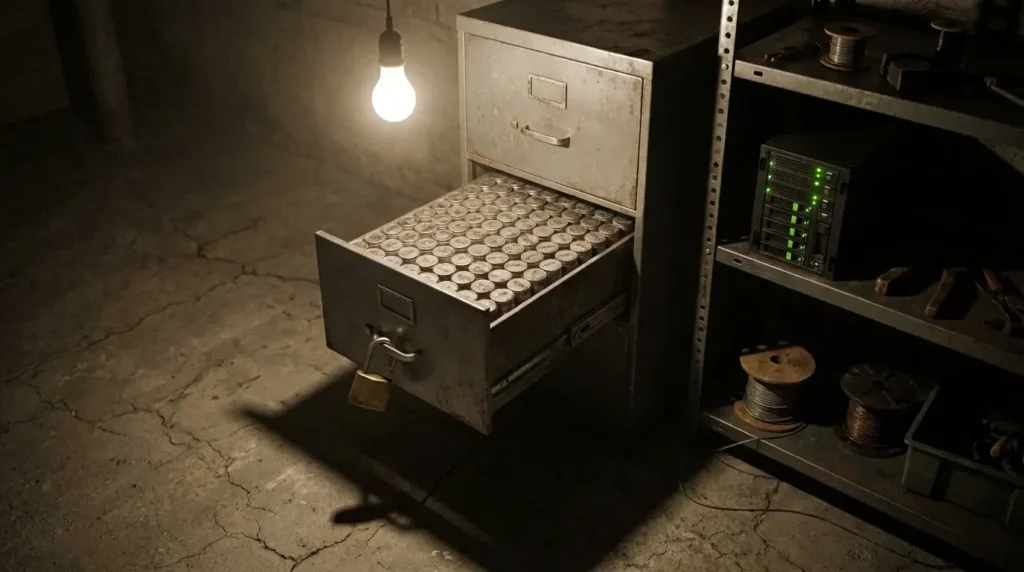
A locked cabinet full of numbered pieces, with the index sealed inside it
A restic repository is a directory with a fixed layout. The restic design reference lists a top-level config file and the directories data, index, keys, locks, snapshots and tmp. The bulk lives in data, packed into files the reference calls packs: “Pack files may contain one or more Blobs of data.” A snapshot is a small record pointing at a tree of those blobs.
Files are cut up with content-defined chunking. The same reference says restic “uses Rabin Fingerprints” for this, that “Files smaller than 512 KiB are not split,” and that blobs run from 512 KiB to 8 MiB, aiming “for 1 MiB Blob size on average.” The cut points depend on the bytes themselves, not on fixed offsets, so inserting data near the start of a file does not shift every chunk after it.
That is why the 4 KiB edit cost about a megabyte. The modified bytes landed inside one chunk of roughly average size, and restic had to store that whole chunk again. On the same run, an exact copy of a 2 MB file under a new name cost nothing, because every chunk already existed.
Encryption covers everything. Per the reference, all files outside keys “are encrypted with AES-256 in counter mode (CTR),” and integrity is checked with “a Poly1305-AES message authentication code (MAC).” The password does not encrypt the data directly. It is run through scrypt to unlock a master key stored in the keys directory, which is how one repository can have several passwords without re-encrypting anything.
A test run: init, backup, and the dedup numbers
Thirty-nine megabytes in, four snapshots out, and the repository barely grew
These commands ran on an Ubuntu 24.04 test container with the distribution’s restic package (restic 0.16.4 compiled with go1.22.2). The test data was 20 random 2 MB files plus a text file. Random bytes do not compress, which keeps the dedup numbers honest.
$ export RESTIC_PASSWORD='correct horse battery staple'
$ restic init --repo /tmp/rt/repo
created restic repository ac43b2a2a3 at /tmp/rt/repo

Please note that knowledge of your password is required to access
the repository. Losing your password means that your data is
irrecoverably lost.

$ restic -r /tmp/rt/repo backup data
no parent snapshot found, will read all files

Files:          21 new,     0 changed,     0 unmodified
Dirs:            2 new,     0 changed,     0 unmodified
Added to the repository: 38.214 MiB (38.154 MiB stored)
Three more backups followed: one with nothing changed, one after copying a file and appending a line to the text file, and one after overwriting 4 KiB inside a 2 MB file.
# unchanged
Added to the repository: 0 B   (0 B   stored)
# duplicate file + one appended line
Added to the repository: 68.781 KiB (2.883 KiB stored)
# 4 KiB overwritten mid-file
Added to the repository: 1.069 MiB (1.059 MiB stored)
The gap between “added” and “stored” on the second line is compression. Repository format version 2, which the restic repository docs say requires restic 0.14.0 or newer and is the default for new repositories, compresses blobs, and a file of repeated ledger lines squeezes down to almost nothing.
After four snapshots, restic stats in its default restore-size mode reported 156.631 MiB: the size of everything those snapshots would put back on disk. The repository directory itself measured 41 MB with du. Four full-looking backups for roughly the price of one is the whole pitch.
Retention: forget, prune, and the week boundary
Forgetting a snapshot is tearing out an index card, not emptying the drawer
Retention in restic is two jobs. The restic forget documentation uses “forget to remove snapshots, and prune to remove the remaining data that was referenced only by the removed snapshots.” Run forget alone and the disk usage does not move.
To test a policy without waiting two weeks, a second repository got 14 nightly snapshots with their timestamps set through restic’s --time flag, one per night from October 31 to November 13, 2026, with one line appended to the text file each night. Then a dry run:
$ restic -r /tmp/rt/repo2 forget --keep-daily 7 --keep-weekly 4 --dry-run
Applying Policy: keep 7 daily, 4 weekly snapshots
keep 9 snapshots:
ID        Time                 ...  Reasons
9d1f570b  2026-10-31 02:15:00  ...  weekly snapshot
cbc32f8a  2026-11-01 02:15:00  ...  weekly snapshot
86f4fd9e  2026-11-07 02:15:00  ...  daily snapshot
78e85c1c  2026-11-08 02:15:00  ...  daily snapshot
                                    weekly snapshot
881ce097  2026-11-09 02:15:00  ...  daily snapshot
...
a40904f0  2026-11-13 02:15:00  ...  daily snapshot
                                    weekly snapshot
remove 5 snapshots:
0fcff009  2026-11-02 ...
91442e90  2026-11-03 ...
870a0a47  2026-11-04 ...
b6acfdcf  2026-11-05 ...
a5b8c01f  2026-11-06 ...
The output trips people up in two places. The weekly buckets follow the calendar. The docs say “Weeks are Monday 00:00 to Sunday 23:59” (restic 0.16.4 forget docs), so Sunday, November 8 is kept as the last snapshot of its week while the Friday and Saturday before it are kept only as dailies.
Then come October 31 and November 1, which fall in the same Monday-to-Sunday week and yet both survive as “weekly.” Only three weeks of history existed, so the four-week policy had a count left over. The same 0.16.4 page explains it: “If there are not enough snapshots to keep one for each duration related --keep-{within-,}* option, the oldest snapshot is kept additionally.” The policy code in restic 0.16.4 carries a comment saying it keeps the oldest snapshot “if the bucket has some counts left.” It is deliberate, and it looks like a bug the first time.
Then the real thing:
$ du -sh /tmp/rt/repo2
40M     /tmp/rt/repo2
$ restic -r /tmp/rt/repo2 forget --keep-daily 7 --keep-weekly 4 --prune
...
to delete:            15 blobs / 3.488 KiB
total prune:          15 blobs / 3.488 KiB
remaining:            66 blobs / 38.154 MiB
...
done
$ du -sh /tmp/rt/repo2
40M     /tmp/rt/repo2
Five snapshots gone, 3.488 KiB reclaimed. The deleted snapshots shared nearly every chunk with the ones kept, so there was nothing to free except the few small pieces of a text file that changed nightly. Retention policies control how far back a restore can reach. They are a poor lever on disk space when the data barely changes, and a strong one when large files churn.
Prune carries a cost of its own, which the forget page spells out: “During a prune operation, the repository is locked and backups cannot be completed.” The test repository was too small for the lock to matter. On a large one over a slow link, prune belongs outside the backup window.

The restore drill, step by step
A backup that has never been restored is a fire extinguisher nobody has pulled the pin on
Full restore of the latest snapshot to a scratch directory, then a byte-for-byte comparison against the source:
$ restic -r /tmp/rt/repo2 restore latest --target /tmp/rt/restore
restoring <Snapshot a40904f0 of [/tmp/rt/data] at 2026-11-13 02:15:00 -0500 EST by root@vm> to /tmp/rt/restore
Summary: Restored 24 files/dirs (40.112 MiB) in 0:00
$ diff -r data restore/data && echo "diff -r: no differences"
diff -r: no differences
A single file from an older snapshot, the November 7 one, pulled out with --include:
$ restic -r /tmp/rt/repo2 restore 86f4fd9e --target /tmp/rt/one --include /data/notes.txt
Summary: Restored 2 / 1 files/dirs (58.735 KiB / 58.735 KiB) in 0:00
$ tail -1 one/data/notes.txt
entry 2026-11-07
And a file streamed to stdout without touching the disk, useful for checking a config before deciding to restore it:
$ restic -r /tmp/rt/repo2 dump latest /data/notes.txt | tail -1
entry 2026-11-13
The last check is the one that proves the bytes on the storage are still good: restic check --read-data. On this repository it printed “no errors were found,” a line that turns out to be printed in less reassuring circumstances too.
Where people get burned
Six real failures, four of them reproduced on the test container
The path inside the snapshot is not the path on disk. The first attempt at the single-file restore used --include /tmp/rt/data/notes.txt, the absolute path the snapshot listing shows. Restic answered Restored 0 files/dirs (0 B) and exited without an error. Backing up the relative path data had stored the tree as /data, which restic ls latest revealed. A drill that only checks the exit code would have passed with nothing restored.
Plain check does not read the data. A copy of the repository had one byte flipped inside a 4.7 MB pack file. Then:
--- check
no errors were found
--- check --read-data
Pack ID does not match, want 89b527ef..., got cb1c6595...
Fatal: repository contains errors
--- check --read-data-subset=10%
no errors were found
The docs state it outright: “the check command does not verify that the actual pack files on disk in the repository are unmodified” (working with repositories). The subset run missed the damage because it read one pack out of five and picked a healthy one. Subsets only work as a rotation that eventually covers everything.
A restore of the latest snapshot from the damaged copy then ended with Restored 23 / 24 files/dirs (39.392 MiB / 40.112 MiB) and Fatal: There were 1 errors. One flipped byte, one lost file.
forget without prune frees nothing. Covered above. The snapshot list shrinks and the disk stays exactly as full.
The password is the whole key. RESTIC_PASSWORD=wrong produced Fatal: wrong password or no key found, and the init message is blunt: losing the password means the data is “irrecoverably lost.” A password stored only on the machine being backed up disappears in the same fire as the machine.
A backup client that can delete is a backup an attacker can delete. The design reference is candid that restic “is not designed to protect against attackers deleting files at the storage location.” If ransomware gets the credentials the backup job uses, it can wipe the repository. The restic rest-server README offers --append-only, which “allows creation of new backups but prevents deletion and modification of existing backups.” The catch is that retention then has to run from a different, trusted machine.
A new snapshot is not proof of a good repository. The docs warn that “New snapshots are not guaranteed to be restorable either” while a repository is damaged. A nightly job that reports success every night says nothing about the pack that rotted in March.

The case against restic
Every chunk sealed in a format only one program can open
The strongest argument against restic is the same thing that makes it efficient. An rsync mirror is a folder of ordinary files: any machine, any rescue disk, any decade can read it with cp. A restic repository is encrypted, chunked and indexed, and it opens only with restic plus the password. If the repository’s index is damaged, or the binary is unavailable on the machine at hand during an emergency, the data is technically there and practically behind a padlock.
Deduplication also concentrates risk. In the test, 156 MiB of restorable snapshots lived in 41 MB of storage, which means a single bad chunk is shared by every snapshot that references it. restic find --pack on the damaged pack listed blobs from three of the random test files, referenced by all nine retained snapshots. Every restore point carried the same broken piece. Plain copies waste space precisely because each one stands alone.
The usual answer is a second repository on different storage. The repository docs describe restic copy for this, with a cost: unless the destination was initialized with matching chunker parameters (init --from-repo with --copy-chunker-params), copied files “may occupy up to twice their space in the destination repository.” And “it is not possible to change the chunker parameters of an existing repository,” so that choice is made once, at init, usually before anyone has thought about it.
For readers who run Docker volume backups or live SQLite databases, restic sits at the end of that pipe, not the start: it backs up whatever dump lands on disk, consistent or not. And no number of snapshots on a single box replaces the second location argued for in the 3-2-1 rule post, or the warning in RAID is not a backup.
The test repository is still on the container, one byte bad in its copy, reporting “no errors were found” to anyone who runs the cheap check. How many home-lab backup jobs have only ever run the cheap one?
Sources
- restic design reference (repository layout, chunking, encryption, threat model): https://restic.readthedocs.io/en/stable/100_references.html
- restic documentation, Preparing a new repository: https://restic.readthedocs.io/en/stable/030_preparing_a_new_repo.html
- restic documentation, Removing backup snapshots (stable): https://restic.readthedocs.io/en/stable/060_forget.html
- restic 0.16.4 documentation, Removing backup snapshots: https://restic.readthedocs.io/en/v0.16.4/060_forget.html
- restic 0.16.4 source, snapshot_policy.go: https://raw.githubusercontent.com/restic/restic/v0.16.4/internal/restic/snapshot_policy.go
- restic documentation, Working with repositories: https://restic.readthedocs.io/en/stable/045_working_with_repos.html
- restic rest-server README: https://github.com/restic/rest-server
- restic v0.16.4 release page: https://github.com/restic/restic/releases/tag/v0.16.4



[…] 4 GB virtual machine image costs 4 GB in the next snapshot. Tools that deduplicate in chunks, like restic, handle that case very […]