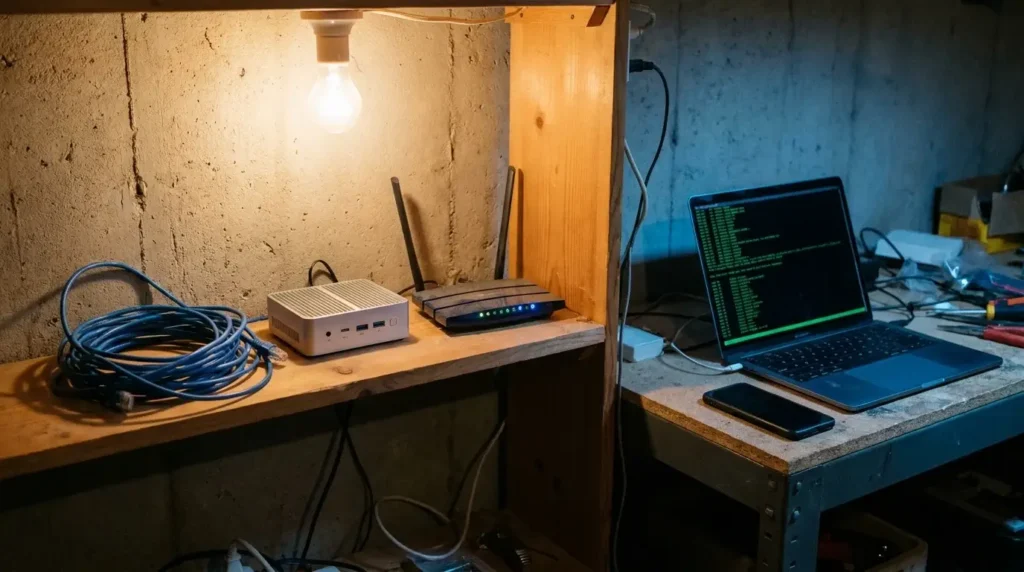
3 packets transmitted, 0 received, 100% packet loss. The tunnel had worked a minute earlier. Same keys, same config files, same two machines, and nothing on either one had been touched. What changed was a router in between, which had quietly forgotten that a conversation was going on. Plain WireGuard does not notice when that happens and does not complain. It waits, politely, for a packet that is never going to arrive.
That failure and its fix were both reproduced on a test container, as shown below. Tailscale is built on WireGuard, so the real comparison is narrower than “which VPN.” On one side sits plain WireGuard, where the owner runs every piece of plumbing; on the other, WireGuard plus a coordination service that handles the keys and the hole-punching. Then there is Headscale, which hands the coordination part back.
What plain WireGuard provides
Two config files, one UDP port, and nothing else
WireGuard is a tunnel and very little more. Each machine has a key pair. Each peer entry lists the other side’s public key, the addresses allowed through, and optionally an endpoint to send to. The project’s homepage describes the AllowedIPs list as working “as a sort of routing table” when sending and “as a sort of access control list” when receiving. It also says that if a packet “decrypts and authenticates correctly, with any source IP, then it’s allowed onto the interface; otherwise it’s dropped.”
That drop is total. On a test container, a script sent an unauthenticated UDP packet to a listening WireGuard port:
$ python3 -c "...sendto(b'hello are you a vpn', ('203.0.113.10', 51820))..."
no reply after 3 s
The port sent back nothing at all. To a port scanner, a WireGuard port looks the same as a closed one, which is a large part of its appeal for a home server and the main reason the WireGuard home VPN guide on this site recommends it for remote access.
The WireGuard quickstart states the design goal directly: “By default, WireGuard tries to be as silent as possible when not being used; it is not a chatty protocol.” That quietness is a virtue right up until a NAT router is involved.
The NAT test: reproduced in network namespaces
A home router forgets, and WireGuard doesn’t ask
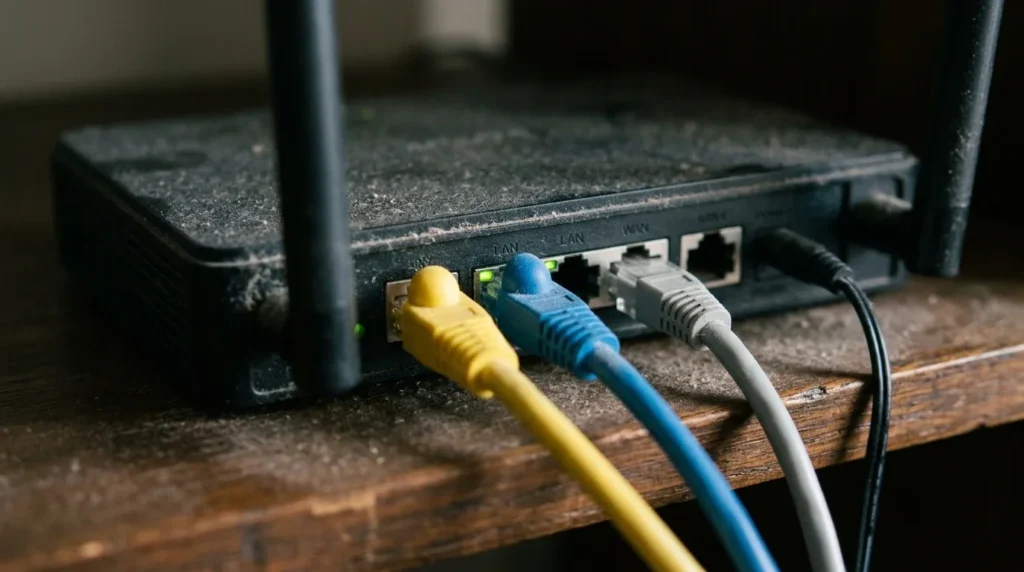
The test used Ubuntu 24.04 with wireguard-go v0.0.20230223 (the userspace implementation, since the container’s kernel had no WireGuard module) and three network namespaces. Peer A sat on a “public” address, 203.0.113.10. Peer B sat at 192.168.2.2 behind a namespace acting as a home router, doing NAT masquerade with nftables. B’s config named A as its endpoint. A’s config named no endpoint for B at all, because there is no way to address a machine behind someone else’s NAT.
The sequence, with B’s keepalive off:
== 1. A up, B not yet up:
7tvPS15JWsspeAIsuyNimBCsJ1l/h/z4K+Hm7nlcyzc=    (none)
1 packets transmitted, 0 received, 100% packet loss

== 2. B up without keepalive, B silent, A pings B:
1 packets transmitted, 0 received, 100% packet loss

== 3. B pings A:
2 packets transmitted, 2 received, 0% packet loss

== 4. A pings B:
2 packets transmitted, 2 received, 0% packet loss
7tvPS15JWsspeAIsuyNimBCsJ1l/h/z4K+Hm7nlcyzc=    203.0.113.20:57485
Step 4 shows WireGuard’s built-in roaming. A had no address for B until B spoke; once it did, A learned the router’s public address and the port the router had picked. WireGuard’s homepage describes this as both sides sending “to the most recent IP endpoint for which they authentically decrypted data.”
Then the router forgot. Flushing its connection-tracking table with conntrack -F stood in for a consumer router timing out an idle UDP mapping:
== 5. router forgets NAT mapping (conntrack -F), A pings B:
connection tracking table has been emptied.
3 packets transmitted, 0 received, 100% packet loss
The tunnel was dead from A’s side until B happened to send something. With persistent-keepalive 25 set on B, the same flush followed by a 27-second wait:
3 packets transmitted, 3 received, 0% packet lossThe quickstart’s guidance matches: “A sensible interval that works with a wide variety of firewalls is 25 seconds,” and “Setting it to 0 turns the feature off, which is the default.” Default off is the right choice for a quiet protocol and the wrong one for a phone or a laptop behind somebody else’s router.
What Tailscale adds on top
A key drop box, a hole-punching crew, and a relay for when the wall holds
Peer A’s public address is what made that test work. Put both peers behind NAT, the normal case for a laptop at a coffee shop calling a server in a basement, and plain WireGuard has nothing to aim at. Somebody has to tell each side where the other one is, and somebody has to get packets through two routers that both refuse unsolicited traffic.
Tailscale’s coordination server handles the first job. Avery Pennarun’s March 2020 post How Tailscale Works calls it “essentially, a shared drop box for public keys,” and says “the private key never, ever leaves its node.” The control plane is hub and spoke, the post says, “but that doesn’t matter because it carries virtually no traffic,” while “the data plane is a mesh.”
That mesh is the part plain WireGuard makes expensive. The same post counts 90 tunnel endpoint configurations for a 10-node full mesh. A quick Python count on the test container shows how it scales:
  3 nodes:    3 tunnels,    6 [Peer] blocks
  5 nodes:   10 tunnels,   20 [Peer] blocks
 10 nodes:   45 tunnels,   90 [Peer] blocks
 20 nodes:  190 tunnels,  380 [Peer] blocks
Adding one more machine means writing its config and editing every existing one. Pennarun’s post notes “each node would have to be updated every time you rotate a key or add/remove a user.” Most home labs dodge this by building a hub and spoke, everything through one server, which works until the hub is the thing that’s down.
The second job is NAT traversal. David Anderson’s August 2020 Tailscale article, How NAT traversal works, describes a device asking a STUN server “what’s my endpoint from your point of view?” and then both sides firing packets at each other’s discovered addresses so each router sees outgoing traffic and lets the replies in. The article estimates that the basic techniques get “a direct connection over 90% of the time.”
The hard cases are routers that “create a completely different NAT mapping for every different destination,” which makes the port unpredictable. Anderson’s article walks through guessing by brute force: with 256 ports open on the hard side, 174 random probes give about 50% odds, and 1,024 give 98%. Recomputing on the container with the simple model 1 − (1 − 256/65535)^n:
  174 probes vs 256 open ports:  49.4%
  256 probes vs 256 open ports:  63.3%
 1024 probes vs 256 open ports:  98.2%
The article’s figures come out within a point of that. When both ends sit behind hard NATs, at the probe rates the article assumes, it puts success after 20 seconds at about 0.01%. That is where DERP comes in. Tailscale’s DERP documentation describes relay servers that act as a fallback when a direct connection isn’t possible and states that “a DERP server blindly forwards already-encrypted traffic from one device to another.” The relay carries sealed envelopes it has no way to open.

What Tailscale costs
Money is the smallest line on the bill
The cash cost for most home labs is nothing. Tailscale’s pricing page lists a free Personal plan, and paid business tiers are billed per user. Plan limits have shifted over the years, so the current page is the one to check.
The real costs are elsewhere. The first is dependency. The data plane is peer to peer, but the keys, device list and access rules live on a coordination server run by a company. If that service has an outage or changes terms, the existing tunnels keep their keys, but new devices and changes wait on someone else’s servers.
The second is the software stack. Tailscale’s GitHub README says the repository holds “the majority of Tailscale’s open source code,” including the tailscaled daemon and CLI, and the repository is listed under a BSD-3-Clause license. It also says “the GUI wrappers on non-open source platforms are themselves not open source.” The Linux side is inspectable. The Mac and Windows menus are not.
Performance is the third cost, and it shows up when traversal fails. A connection through DERP takes a detour through a relay that may be in another city. Tailscale’s CLI reference notes that tailscale status shows “the DERP server’s city code” for relayed peers, and that tailscale netcheck reports MappingVariesByDestIP, which “describes whether your device is behind a difficult NAT.” If that flag reads true at both ends, expect relayed traffic.
Headscale: taking the coordination server home
Same clients, a control plane in the basement, and a pager that rings at home
Headscale is “an open source, self-hosted implementation of the Tailscale control server,” per its GitHub README. The standard Tailscale clients point at it instead of Tailscale’s servers. Its scope is deliberately small: one tailnet, “suitable for a personal use, or a small open-source organisation.” The README also states “this project is not associated with Tailscale Inc.,” while noting that one active maintainer is employed by Tailscale.
Headscale fixes the dependency problem by moving it. The coordination server now lives on hardware in the house, which means it needs patching, backups and a public address that the clients can reach, and it becomes a machine that has to be up for anything new to join. The README says the project does “not support nor encourage the use of reverse proxies and container to run Headscale,” which matters for anyone planning to drop it behind the stack in the Caddy reverse proxy guide. Relays are still needed for hard NATs. Tailscale’s DERP page warns that running a custom DERP server “requires significant resources on your part to set up and maintain.”

Where people get burned
Forgotten keepalives, greedy AllowedIPs, and the relay nobody noticed
Missing keepalive is the classic, and the namespace test above shows the exact symptom: a tunnel that works when the NATed side starts the conversation and dies quietly after the router’s idle timer runs out. The fix is one line on the peer behind NAT, PersistentKeepalive = 25, not on the public server.
AllowedIPs is the second trap, because it is both the routing table and the firewall. Set 0.0.0.0/0 on a peer, and every packet on the machine tries to go through that tunnel, including the packets that carry the tunnel itself if routing is not set up carefully. Set two peers with overlapping ranges, and traffic goes to whichever one claims the address. When traffic vanishes, the path tools in the traceroute vs mtr guide show whether it ever entered the tunnel.
Subtler still, a Tailscale connection that fell back to DERP keeps working, so nobody notices that a file copy between two machines in the same town is bouncing off a relay somewhere else. tailscale status and tailscale netcheck show it. Nobody runs them until something feels slow.
For a home lab with one server on a static or dynamic-DNS public address, and a few phones and laptops calling home, plain WireGuard has nothing to traverse. The server is the endpoint, every client keeps alive, and the whole network is four config files that will still work if every startup on earth folds. Tailscale’s best tricks solve problems that hub-and-spoke on a public address doesn’t have. The trouble begins the day the server moves behind carrier-grade NAT, or the day a second site joins, and DNS names like the ones in the Pi-hole guide need to resolve across both.
Somewhere in a router’s memory, a table entry with a countdown timer is the only thing keeping a tunnel alive. When was the last time anyone checked what that timer is set to on their own router?
Sources
- WireGuard homepage: https://www.wireguard.com/
- WireGuard quickstart: https://www.wireguard.com/quickstart/
- Avery Pennarun, How Tailscale Works (Tailscale blog, March 20, 2020): https://tailscale.com/blog/how-tailscale-works
- David Anderson, How NAT traversal works (Tailscale blog, August 21, 2020): https://tailscale.com/blog/how-nat-traversal-works
- Tailscale, DERP servers: https://tailscale.com/kb/1232/derp-servers
- Tailscale, pricing: https://tailscale.com/pricing
- Tailscale, GitHub repository README: https://github.com/tailscale/tailscale
- Tailscale, CLI reference: https://tailscale.com/kb/1080/cli
- Headscale, GitHub README: https://github.com/juanfont/headscale