





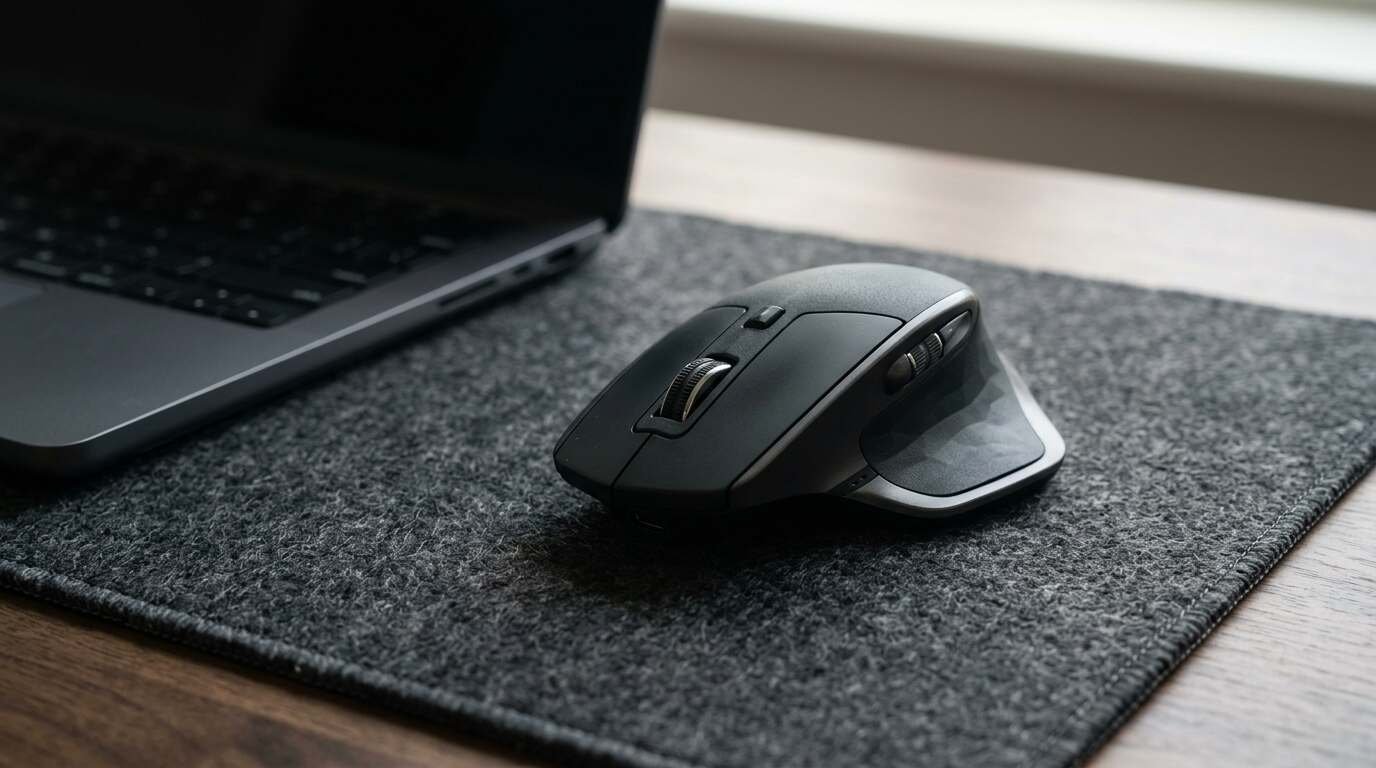
A Logitech MX Master 3S review built from independent tests and Amazon shopper feedback: quiet clicks and great scrolling, but big, right-handed and not cheap.
As an Amazon Associate I earn from qualifying purchases. A commission may be earned if you buy through this link, at no extra cost to you.
This logitech mx master 3s review starts with a plain statement: the mouse is a refinement, not a reinvention. Logitech took the MX Master 3, which people already loved, and gave it a higher-resolution sensor and quieter buttons. Whether that is worth the asking price depends on what is sitting on your desk now.
What it is and who it is for
The MX Master 3S is a rechargeable wireless mouse from Logitech aimed at office workers, editors and anyone who spends the day moving between documents, spreadsheets and timelines. It came out in 2022. The exact month is murky, since the reviews I found are dated May and July of that year.
I haven’t tested this unit; this review is based on published tests and shopper feedback. That means I can tell you what five outlets and a pile of buyers found, and I can’t tell you how it feels in my hand on a Tuesday afternoon.
On paper, the target buyer is right-handed, has medium-to-large hands, and often works across more than one computer. The mouse pairs with up to three devices over Bluetooth LE, and the standard version also ships with a Logi Bolt receiver. It has seven buttons and two wheels: a main scroll wheel and a thumb wheel for sideways movement.
| Sensor | 8,000 DPI, tracks on glass |
| Main wheel | MagSpeed electromagnetic, plus thumb wheel |
| Buttons | 7 buttons, 2 wheels |
| Clicks | Quiet Clicks (Logitech claims 90% less noise) |
| Battery | Rechargeable via USB-C, about 70 days claimed |
| Connectivity | Bluetooth LE for up to 3 devices; Logi Bolt receiver on the standard version |
| Weight | About 141 g |
| Handedness | Right-handed only |
| Software | Logi Options+ needed for most customization |
Those numbers come from Logitech and from Expert Reviews. The battery figure is a maker claim. One reviewer did see 93 percent left after a week of use, which is encouraging but is not the same as 70 days.
What Amazon shoppers say
This section draws on Amazon’s summary of shopper feedback, which I read on the listing on Oct 10, 2026. I haven’t confirmed which variant of the mouse the listing covers, so check that it matches the model described here.
Amazon’s own summary of the feedback is mostly warm. Buyers call it the best mouse they have used. People with large hands say it fits them well, and a few say it eased hand cramps. They like the smooth glide, the buttons they can reassign, and a battery that holds up and recharges quickly.
The cracks show in two places. Connection reports are split: some people describe seamless Bluetooth, while others describe random disconnects. Value splits the same way, with some shoppers calling it worth the money and others calling it overpriced.
A Google or Google Shopping rating was not checked for this post. Shoppers can compare it themselves before buying.
What independent reviewers found
Reviewers were kind to the 3S, though none pretended it was a leap.
Expert Reviews gave it a Best Buy award and called it the best productivity mouse the writer had tested, praising the build and the quiet, still-tactile clicks. The same review pointed out that the mouse is large and heavy, and that the receiver has nowhere to live inside the body.
TechRadar scored it 5/5 for performance and 4/5 for both design and value. Its verdict: a strong office mouse with quiet clicks and long battery life, but not for lefties, small hands or gaming.
Laptop Mag gave it an Editor’s Choice and agreed it is the best productivity mouse for right-handers. It also questioned whether the extra cost over the older MX Master 3 makes sense, since the sensor and scroll wheels carry over from that design.
Macworld, reviewing the Mac version, called it a strong alternative to the Magic Mouse for right-handed users, with good scrolling and a clear companion app. Digital Camera World recommended it for photo and video editors, while noting that it is expensive and that customization outside supported apps is limited.
What is good
The scroll wheel gets the most praise. The main wheel is electromagnetic, Logitech claims it reads 1,000 lines a second, and the thumb wheel earns its keep in wide spreadsheets and timelines. Reviewers kept coming back to it, and the Laptop Mag review said the scrolling and sensor carry over from the praised MX Master 3 design, now with a higher-DPI sensor.
Why does that matter in daily use? Because most of the work a mouse does is small and repetitive: scrolling a long page, nudging a cursor across two monitors, switching windows. A mouse that makes those jobs slightly less tiring earns its place on a desk, and the 3S is built around exactly that idea.
Quiet clicks are the headline change from the MX Master 3. Expert Reviews found they remain tactile, so you give up noise rather than feel. In a shared office or a house with a sleeping partner, that is a real gain.
Build quality draws consistent compliments. So does the customization: with Logitech’s software you can assign actions per app, which is how people who live in editing tools get the most from seven buttons. None of that is dramatic. It is the accumulated effect of many small things done well. Add the three-device switching and the mouse works as a single pointer for up to three computers.
What is not so good
Size is the first problem. At roughly 141 g it is a substantial mouse, and TechRadar says it can be uncomfortable for small hands. It is also right-handed only, so left-handed buyers can stop reading here.
Then there is the receiver. It has no storage slot, and the Bolt standard is not backward compatible with older Logitech receivers. If you own an older Logitech dongle, it will not talk to this mouse. There is also no wired mode: the USB-C port is for charging only.
The software is a requirement, not an option. Most customization needs Logi Options+, and Expert Reviews notes that the Bolt installer is not available on Linux.
Owner complaints add a few more entries. The rubber side grips are reported to yellow or turn sticky over time, according to a complaint aggregator and a comparison write-up. One Best Buy reviewer found Bluetooth scrolling less consistent than on the older model and said a firmware update stalled without a receiver. Another source said dongle problems improved in a USB 2.0 port. These are scattered anecdotes, and I could not establish how common any of them are.
Price is the last mark against it. Logitech’s own store, the 2022 reviewers and the occasional deal I came across all showed different figures, depending on the variant and the date, and I can’t date the deals. Check the current price on Amazon before you decide.
Video reviews
Three independent video reviews are embedded below. Their titles came from a search and I haven’t watched them, so treat them as extra viewing, not as sources I’m relying on. One is billed as a six-month follow-up, which is the sort of thing worth watching for the grips and battery.
How it compares
The most obvious rival is Logitech’s own newer MX Master 4. A European review in November 2025 says it adds a haptic thumb button and a ninth button, and that it costs more than the 3S. If the extra features appeal, the 3S looks like the budget choice rather than the flagship.
For gamers, Expert Reviews’ author kept the smaller SteelSeries Prime for his own use, which tells you where this mouse sits in that world. And if wrist comfort is the main goal, a vertical ergonomic mouse is a different category altogether. I did not research those, so I’ll leave it there.
If you already own an MX Master 3, the reviews suggest you gain very little by upgrading. Laptop Mag called the 3S an incremental update and questioned the added cost, and nothing in the other write-ups contradicts that. The quiet clicks are the one change you would notice daily, and only if noise bothers you or the people around you.
Who should buy it and who should skip it
Buy it if you are right-handed, have average to large hands, switch between machines, and care about a quiet click. It suits people who will take the time to assign buttons.
Skip it if you are left-handed or have small hands. Skip it if you want a wired mode, a game-ready shape or a low price. Owners of the MX Master 3 should stay put.
My take: the case for this mouse is strongest at a sale price, and weaker at full price now that a successor exists.
Verdict
The MX Master 3S earns its reputation. Reviewers across five outlets agree that it is among the best productivity mice for right-handed users, and shoppers on Amazon mostly call it the best mouse they have used. The negatives are real but narrow: size, handedness, a receiver quirk and a price that depends on when you buy.
If those fit your situation, it is an easy mouse to recommend. If they don’t, nothing about the 3S will change that.
- Logitech MX Master 3S: the right-hander’s productivity mouse reviewed above. See it on Amazon (affiliate link).
As an Amazon Associate I earn from qualifying purchases. A commission may be earned if you buy through this link, at no extra cost to you.