




A Keychron K2 review based on published tests and shopper feedback: a compact, affordable wireless board with a chunky body and uneven Bluetooth reports.
As an Amazon Associate I earn from qualifying purchases. A commission may be earned if you buy through this link, at no extra cost to you.
This keychron k2 review comes with one warning up front: the name now covers a whole family. Keychron sells a Version 2, a Pro, a Max and a Version 3, and the independent reviews I could find mostly cover the original and Version 2 boards from 2021 and 2022. The Version 2 is the one I’ve based this on, and it is a compact wireless mechanical keyboard with a lot of fans and a few loud critics.
What it is and who it is for
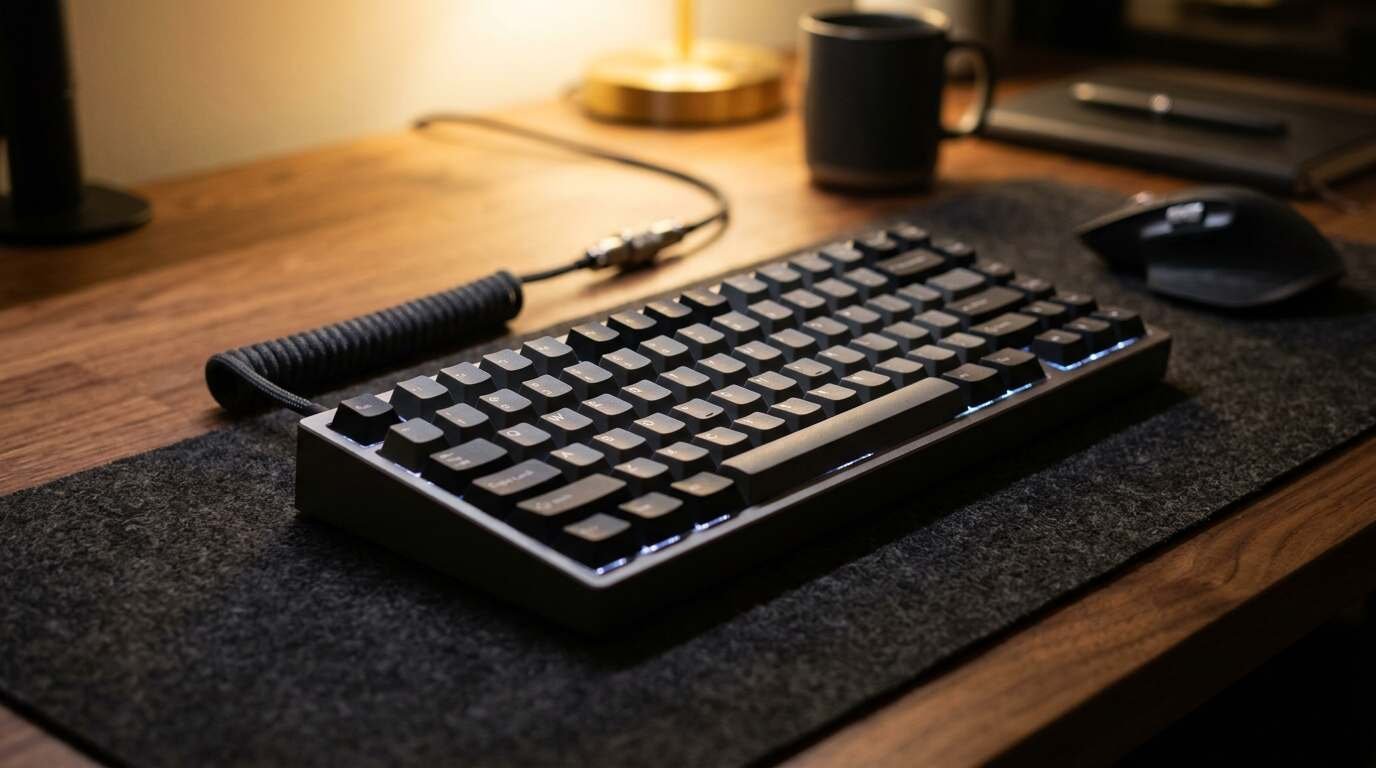
The K2 is a 75 percent keyboard with 84 keys. That layout drops the number pad but keeps the arrow keys and a function row, which is why Mac users and people with small desks like it. It connects over Bluetooth 5.1 to as many as three devices, and it can also run wired over USB-C. There is no 2.4GHz receiver on this version.
I haven’t tested this unit; this review is based on published tests and shopper feedback. Where the research is old, or where a complaint comes from one person, I’ve said so.
| Layout | 75%, 84 keys, ANSI or ISO |
| Switches | Gateron mechanical (Red, Brown or Blue options) |
| Connectivity | Bluetooth 5.1 for up to 3 devices, plus wired USB-C |
| Battery | 4,000 mAh; maker claims about 240 hours with lighting off, 68 hours with full lighting |
| Backlight | White or RGB, depending on the model |
| Frame | Plastic or aluminum |
| Keycaps | ABS, laser-etched |
| Systems | Windows, Mac, iOS, Android; Mac/Win switch and both keycap sets included |
The battery figures are Keychron’s claims, relayed by PC Gamer and MacTrast. A hot-swappable version exists too, so check which one you are buying.
The ideal buyer is a Mac or mixed-system user who wants an affordable, compact wireless mechanical board and doesn’t mind buying a wrist rest.
What Amazon shoppers say
I read Amazon’s summary of buyer feedback on the listing on Oct 10, 2026. I couldn’t confirm which K2 version that listing sells, so treat the specs above as belonging to Version 2 and check the product page.
Amazon’s summary of buyer feedback is positive on the basics. Shoppers praise the quality, the feel, the looks, the 75 percent layout, the tactile typing and the lighting options.
Reliability is where opinion splits. Some owners report no trouble at all. Others say the board stopped working after about nine months, and several mention Bluetooth problems. Sound is divided as well: to some it is satisfying, to others it is loud and plasticky.
A Google or Google Shopping rating was not checked for this post. Shoppers can compare it themselves before buying.
What reviewers found
The independent reviews are older, and they disagree with each other more than most.
PC Gamer reviewed the Version 2 in January 2022 and scored it 82. Its verdict was that this is a budget-friendly, entry-level mechanical board with a solid build and reliable wireless, held back by scratchy switches and lighting that feels cheap.
MacTrast, in early 2021, gave the original K2 4.5/5 and called it the best Mac mechanical keyboard the reviewer had tried. Complaints: it is tall, Bluetooth sleeps quickly, and the blue switches are loud.
Hardware Canucks was the harshest. Titled as a hype-versus-reality check, the review found the board too thick, the switches uneven, and Bluetooth pairing that failed on the reviewer’s desktop. The advice was to use it wired with a wrist rest.
Put those side by side and you get a keyboard that works well for some people and badly for others. PC Gamer found the wireless reliable. Hardware Canucks did not. The difference may be the host computer, not the keyboard, and I can’t say which.
What is good
The layout is the draw. Arrow keys and a function row in a body this small are hard to give up once you have them, and MacTrast and Hardware Canucks both liked it for that reason.
Three-device Bluetooth pairing plus a wired fallback is flexible. A Mac/Windows toggle and both sets of keycaps in the box make the board friendly to people who switch systems.
Compatibility is broader than the budget positioning suggests. MacTrast listed Windows, Mac, iOS and Android support, and the keycaps for both Mac and Windows are included, so you aren’t hunting for a swap kit. For anyone moving between a work PC and a personal Mac, that is a convenience people tend to value more than they expect.
Build quality drew praise for the price. PC Gamer and Hardware Canucks both noted little flex in the body. The battery is large, and with lighting off PC Gamer reported a long runtime.
Cost helps as well. PC Gamer called the Version 2 budget-friendly, reviews in 2021 and 2022 saw the price move with the frame and backlight options, and Keychron’s store has run sales. That puts a wireless mechanical board within reach of someone who isn’t sure they want one, though you should check the current price on Amazon for the version you want.
What is not so good
It is chunky. Hardware Canucks and MacTrast both found they needed a wrist rest, and the height caused wrist strain without one.
Switch quality is uneven. Hardware Canucks heard scratchy and pinging switches, and PC Gamer mentioned spacebar reverb. That sort of thing varies from unit to unit, and it is the kind of flaw a spec sheet never shows.
Bluetooth is the sore spot. Beyond Hardware Canucks’ failed pairing, a blogger had trouble with a Mac mini and found the keyboard did nothing at the FileVault login screen, where Apple’s own Magic Keyboard worked. A forum thread describes the board not reconnecting after sleep on Linux, with a workaround of toggling the connection or turning sleep off. Those are individual reports, some tied to Linux, so I wouldn’t read them as a failure rate.
Smaller annoyances: the USB-C port sits on the front, the backlight key is easy to hit because it sits beside Delete, and the grey keycaps get dirty fast according to one owner. There’s no 2.4GHz receiver, and this version lacks the QMK and VIA programmability found on the Pro line.
Video reviews
Three independent videos are below. The titles come from a search and I haven’t watched them. One is described as a review after more than three years of use, which is the angle I’d most like to see for a keyboard with durability complaints.
How it compares
Within Keychron’s own range, the K2 Pro adds QMK and VIA support, and the K2 Max adds 2.4GHz wireless, according to the company’s comparison page. If you want either, the Version 2 is the wrong board. The page also lists a Version 3 without saying it replaces the Version 2.
The 65 percent K6 is a smaller option from the same maker, though I only saw it on a comparison page. Against Apple’s Magic Keyboard, the blogger I mentioned found the K2 cheaper but less capable at the login screen.
I did not research boards from other brands, so I can’t say how this stacks up against them. That gap matters, because the entry-level mechanical market is crowded, and a keyboard that looks good in isolation can look ordinary next to a rival at the same price. If you are comparing, check for the features that separated the Keychron models above: programmability, wireless type, and whether the switches can be swapped out.
Hot-swap is the one worth a closer look. Keychron’s comparison table marks the K2 as hot-swappable and PC Gamer mentions a hot-swappable version, which would let you replace a scratchy switch instead of living with it. Since the switch complaints are the most consistent negative, that matters more than it sounds.
Who should buy it and who should skip it
Buy it if you want a first mechanical keyboard that travels between a laptop, a tablet and a phone, and you’ll pair it with a wrist rest. It’s a sensible choice for Mac owners on a budget.
Skip it if you’re picky about switch feel, need QMK programming or 2.4GHz wireless, or prefer low-profile boards. If you can get a Pro or Max for a small premium, look at those first.
A word on timing. The reviews here date from 2021 and 2022, and Keychron has released several versions since. Firmware and manufacturing change over the years, so an older complaint may have been fixed and a newer one may not appear in anything I read. The 3-year follow-up video in the embeds above is probably the closest thing to a current durability check.
Verdict
The K2 Version 2 is a flawed but likable board. The layout, the three-device switching and the price are real strengths. The thick body, uneven switches and patchy Bluetooth reports are real weaknesses, and buyers’ own stories on Amazon split along the same line.
My take: it’s a fair deal if you treat it as an entry-level board and keep a wire handy. Pay more attention to the exact version in your cart than to the name on the box.
- Keychron K2: compact 75% wireless mechanical keyboard, reviewed above (confirm the version on the listing). See it on Amazon (affiliate link).
As an Amazon Associate I earn from qualifying purchases. A commission may be earned if you buy through this link, at no extra cost to you.