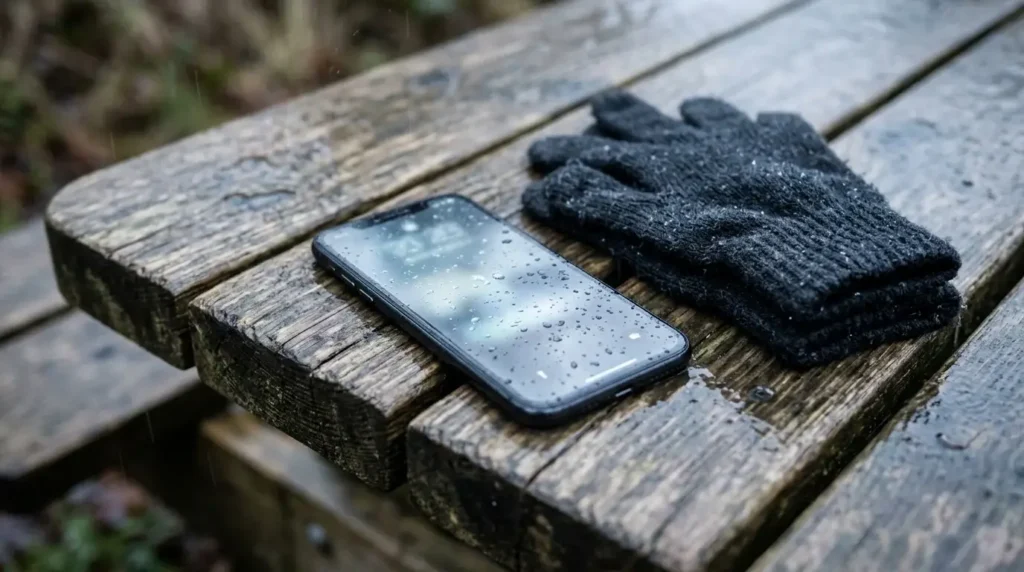
A fingertip pressed through 1 mm of plastic onto a touch sensor adds about 0.89 picofarads to the circuit underneath. That figure comes from a worked example in Microchip’s capacitive touch sensor design guide, AN2934, and it is small enough to be hard to picture: under a trillionth of a farad. Every tap, swipe and pinch on a phone screen is a controller noticing changes of that size, over and over, across a grid of invisible wires. The same arithmetic explains why a wool glove makes the phone go deaf and why a few raindrops can make it press buttons by itself.
A finger is one plate of a capacitor
The cover glass is the insulator, and the skin is the other conductor
A capacitor is two conductors separated by an insulator, the same part that the multimeter testing guide for fuses, diodes and capacitors puts probes on. On a touch sensor, one conductor is an electrode under the cover, the insulator is the cover itself, and the second conductor is the finger. AN2934 models this with the parallel-plate equation, where capacitance rises with the overlapping area and the cover’s permittivity and falls with the cover’s thickness. Its example uses a 12 mm electrode, a fingertip modeled as an 8 mm disc, and a 1 mm plastic cover with relative permittivity 2. Only the 8 mm disc counts, the guide notes, “as this is the area of overlap between the two plates.”
Running those inputs through Python reproduces the guide’s answer:
AN2934 example 8mm disc, 1mm plastic er=2: 0.890 pFThe guide draws the design conclusion plainly: the strongest signal comes from “a large sensor electrode, a thin touch cover, and a high permittivity cover material,” and “a smaller sensor or thicker cover will reduce the touch capacitance value.” Every phone screen is a compromise between those terms and a cover tough enough to survive a pocket full of keys.
The finger is not floating in space, either. It is attached to a person, and that person is coupled to the device’s ground through the air, the floor, a hand wrapped around the case. AN2934 gives the human body model as “100 pF to 200 pF for an adult depending on physique” and says the coupling between a device’s ground and earth can range down to “~1 pF in a small battery-powered device.” Those capacitances sit in series with the fingertip, and capacitors in series add like resistors in parallel: the smallest one dominates.
The ground path nobody thinks about
Why the same tap reads weaker on a phone lying flat on a table
The series chain is easy to compute. With a 1 pF touch, a 100 pF body and 100 pF of ground coupling, AN2934 gets 0.98 pF of measured signal. Drop the ground coupling to 2 pF and the signal falls to 0.662 pF, which the guide calls a reduction of about 33 percent. The Python check matches, and one more step down shows the trend:
Body chain Ct=1,Ch=100,Cg=100: 0.980 pF
Body chain Ct=1,Ch=100,Cg=2:   0.662 pF
Body chain Ct=1,Ch=100,Cg=1:   0.498 pF
At 1 pF of ground coupling, half the touch signal is gone before the screen does any work. A phone held in the other hand has the body wrapped around its ground. One sitting on a wooden table, poked with a single finger, has much less of a return path, so the controller has to accept a weaker signal as a real touch. The touch stays real; it just sounds quieter, like a voice on a landline with a bad ground on the circuit.
That is the first reason a touch controller cannot be a simple on-off switch with one fixed threshold. The second reason is the grid.
Self capacitance vs mutual capacitance
Rows and columns read alone leave the controller guessing
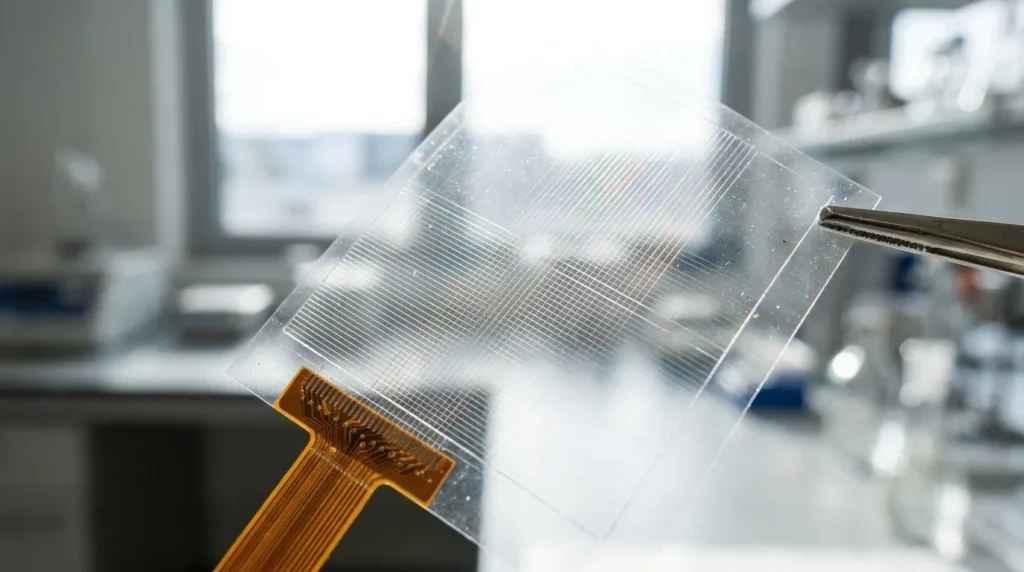
A phone screen does not have one electrode per pixel. It has transparent conductive lines laid in rows and columns, and in the projected-capacitive design described below those lines are indium tin oxide (ITO). Gary Barrett and Ryomei Omote, writing in the Society for Information Display’s Information Display magazine (the March 2010 issue lists their article, “Projected-Capacitive Touch Technology”), describe ITO “deposited onto the top side of a piece of glass” and etched into patterns, in a copy of the article hosted by Future Electronics.
There are two ways to read such a grid.
Self capacitance measures each row and each column against ground. A finger near row 3 and column 2 raises both readings, and the controller places the touch at their crossing. One finger works perfectly, and a second finger breaks the scheme. Touches at (2, 3) and (7, 9) light up columns 2 and 7 and rows 3 and 9, and the controller has no way to tell that pair from (2, 9) and (7, 3). A short script lists the candidates:
touches (2,3),(7,9) -> self-cap sees X peaks [2, 7] Y peaks [3, 9]
  -> candidates [(2, 3), (2, 9), (7, 3), (7, 9)]
Half of those candidates are ghosts. Barrett and Omote describe the problem in exactly those terms: “the controller could detect two touches but could not detect on which diagonal.”
Mutual capacitance drives one line at a time (the transmit, or X, line) and listens on the crossing lines (receive, or Y). Each crossing is its own small capacitor between two electrodes, measured separately. AN2934 describes mutual sensors as using “a pair of electrodes for each sensor node” and measuring “the capacitance between them.” The labels on the article’s scanning figure give the economy for a 4 by 4 grid: 4 + 4 = 8 electrodes, 4 × 4 = 16 crossings to measure. The ratio improves as grids grow:
grid 4x4:   electrodes 8,  intersections 16
grid 16x9:  electrodes 25, nodes 144
grid 40x20: electrodes 60, nodes 800
Barrett and Omote state that mutual capacitance, “compared to self-capacitance systems, makes it easier to identify specific points.” Every node has an address, so ten fingers produce ten bumps on a map instead of a set of shadows on two rulers.
What a touch does to a grid node
A finger lowers the reading, and the sign of the change matters
On a mutual node, the finger is a third conductor that steals field lines. AN2934 says the finger “forms a third electrode in the X-Y capacitor and increases the coupling between X and Y” through itself, yet the net effect “reduces the amount of charge transferred from X to Y, causing an apparent decrease in the X–Y capacitance.” Some of the drive line’s charge goes into the finger and down through the body instead of reaching the receive line.
So on a mutual-capacitance screen, a finger shows up as a dip. AN2934’s language for it is a touch delta, measured against what the node reads untouched, and the controller’s job is to find the nodes that dipped and place the finger among them. Anything that pushes a node the same direction as a finger can be mistaken for one.
Gloves, rain and false touches
Where people get burned: the insulator gets thicker, or the water joins the circuit
Gloves. A glove adds a second insulating layer between finger and electrode, and two capacitors in series always total less than the smaller one. Modeling the glove as a layer with relative permittivity 1 (the vacuum value, a rough stand-in for fabric that is mostly trapped air) on top of AN2934’s 1 mm plastic cover gives this:
glove 0.5 mm (er=1): Ct=0.445 pF  (50% of bare)
glove 1.0 mm (er=1): Ct=0.297 pF  (33% of bare)
glove 2.0 mm (er=1): Ct=0.178 pF  (20% of bare)
glove 3.0 mm (er=1): Ct=0.127 pF  (14% of bare)
A 1 mm glove cuts the fingertip signal to a third, and that is before the body’s ground path takes its share. Real fabric is not empty air, and a fingertip may not press through it the same way, so the numbers are a model and not a measurement. The direction is solid. Texas Instruments’ application brief SLAAE37 on keypads in extreme weather says users “may wear thick gloves that insulate their finger from the capacitive sensors” and that “the glove material, thickness, and structure” all affect detection. Thin gloves can work: Barrett and Omote write that “the touch screens are sensitive to cotton or surgical gloves.” Samsung’s Touch sensitivity setting, found under Settings > Display on supported Galaxy models, exists because with a screen protector or gloves “the touchscreen may not respond as smoothly.” Turning the gain up helps a gloved finger. It also helps everything else that is not a finger.
Water. A droplet sitting alone on a mutual node is mostly harmless. AN2934 says moisture droplets on an isolated sensor node “will not cause accidental touch detection,” because water there raises the measured capacitance, the opposite direction from a finger’s dip. The guide calls that an “anti touch.” Trouble starts when water connects to something else. A droplet that bridges to another part of the circuit increases ground return coupling, and the guide warns that “the net result may be towards touch delta and false touch detection.” On a phone, the something else is often the user’s own hand on a wet case or a film of rain spreading to the bezel. Self-capacitance sensing has it worse: AN2934 says water on a self-capacitance sensor causes an increase “resulting in towards touch delta,” which is the same direction as a finger.
Xiaomi’s support page on wet hands puts the consumer version in two lines, saying water “will interfere with the touch signal of the finger” and recommending a wipe. TI’s brief describes its moisture-tolerant keypad being tested under “continuous water flow and water spray,” which says something about how seriously designers of outdoor equipment take a wet afternoon. Water is a troublemaker in more than one appliance; the post on why microwaves heat unevenly follows it into the kitchen.

The case for the glove setting, and against it
Sensitivity is a dial with a ghost at both ends
The engineering argument for a high-sensitivity mode is strong. Gloves are common, screen protectors are common enough that Samsung ships a setting for them, and a phone that ignores a cold hand in January fails at the one job it has that month. A controller that can reach a weaker touch has strictly more useful range, and some designs only open that range under specific conditions; TI’s keypad, for instance, raises sensitivity only after a piezo sensor detects a firm press, because constant high sensitivity costs power and invites noise.
The cost falls on the other side of the same line. A threshold low enough to catch 0.18 pF through a thick glove sits closer to the signal that water bridging the bezel can produce, and TI’s brief lists higher noise sensitivity, with false touches, among the costs of running sensitivity high all the time. The controller cannot ask what made the dip; all it has is a capacitance change at some nodes and a threshold to compare it against. A setting that helps a glove in snow also lowers the bar for a raindrop in summer, and a phone sitting on a table with almost no ground return is the hardest case of all, since its true touches are already weak.
The physics leaves a fixed budget: a fraction of a picofarad, split between a finger, a cover, a body and a floor. How many readers have watched a phone open an app by itself in the rain, and was a glove or high-sensitivity mode switched on when it happened?
Sources
- Microchip Technology, AN2934, “Capacitive Touch Sensor Design Guide” (F. Cleary, DS00002934B, 2020), PDF hosted by MIT: https://circuits.mit.edu/_static/S25/labs/rc/touchsensor_design.pdf
- Microchip application note page for AN2934: https://www.microchip.com/en-us/application-notes/an2934
- Gary Barrett and Ryomei Omote, “Projected-Capacitive Touch Technology,” Information Display, copy hosted by Future Electronics: https://media.futureelectronics.com/semiconductors/lcd-display-solutions/touch-screens/ProjectedCapacitiveTechnology.pdf?m=Q5xFCg
- Information Display archive, March 2010 issue contents: https://archive.informationdisplay.org/id-archive/2010/march
- Texas Instruments, SLAAE37, “Improving Capacitive Touch Keypad Robustness in Extreme Weather Conditions”: https://ti.com/lit/pdf/slaae37
- Samsung Canada, “Turn on Touch sensitivity on your Samsung Galaxy”: https://www.samsung.com/ca/support/mobile-devices/activate-touch-sensitivity-on-your-samsung-galaxy/
- Xiaomi UK support, “Touching the screen of the phone or pad with wet hands does not work”: https://www.mi.com/uk/support/faq/details/KA-167107/
- x9m8, Test a fuse, diode and capacitor with a multimeter: https://x9m8.com/test-fuse-diode-capacitor-multimeter/
- x9m8, Why microwaves heat unevenly: https://x9m8.com/how-microwave-ovens-heat-unevenly/