




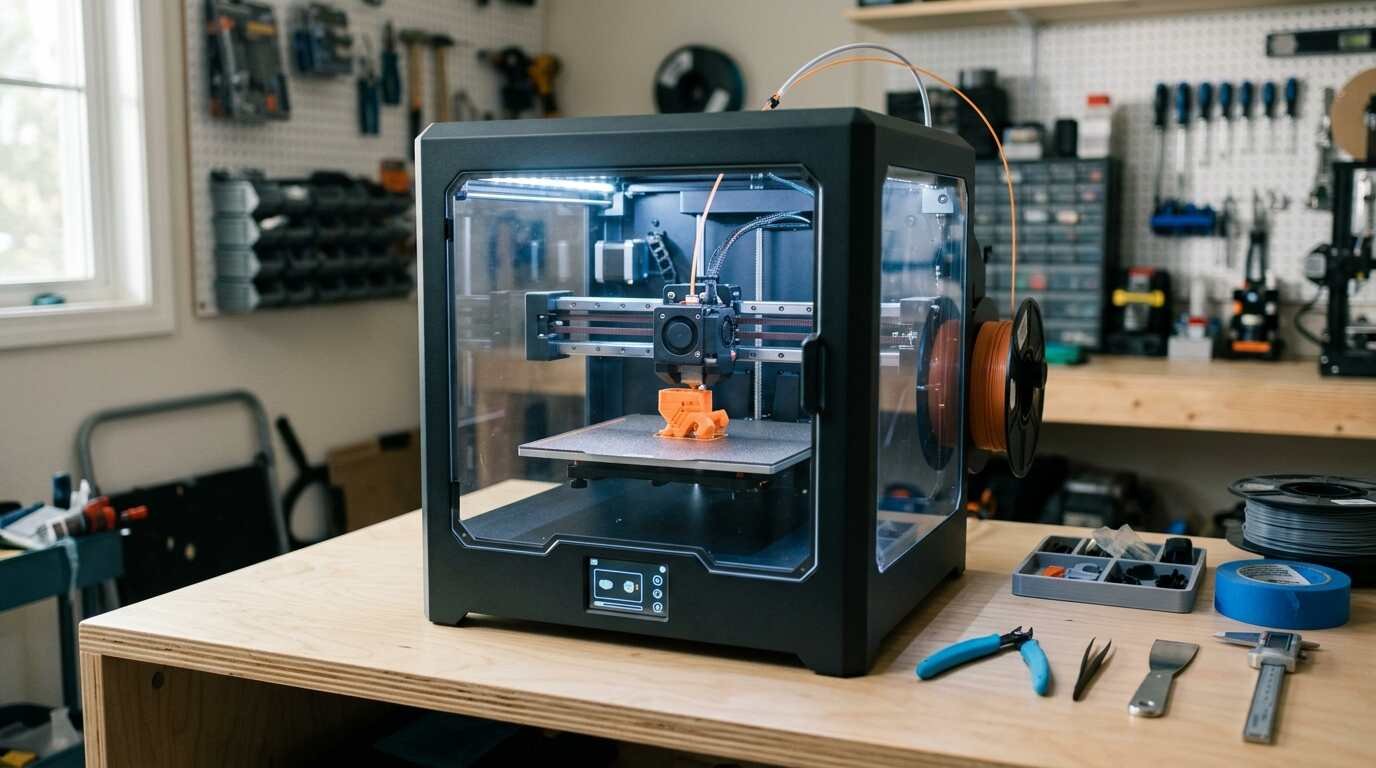
A compact 180 mm direct-drive printer with auto leveling and optional multicolor. Reviewers praise speed and ease, and flag the small bed, AMS Lite waste and closed ecosystem.
As an Amazon Associate I earn from qualifying purchases. A commission may be earned if you buy through this link, at no extra cost to you.
This Bambu Lab A1 mini review covers the compact, fast and nearly plug-and-play 3D printer that reviewers have long held up as a benchmark for beginners. The big outlet reviews are from 2023 and early 2024, so some of what follows is older than I would like. I haven’t tested this unit; this review is based on published tests and shopper feedback. Check the current price on Amazon before buying. Note that this particular listing is titled as a bundle with an LED lamp kit.
What the A1 mini is and who it is for
It is an open-frame, bed-slinger printer with a 180 x 180 x 180 mm build volume. The extruder is direct drive, the hotend reaches 300 C, and the heated PEI spring steel plate goes to 80 C. Leveling is automatic, there is a 2.4-inch touchscreen, and the printer takes Wi-Fi or a microSD card.
| Build volume | 180 x 180 x 180 mm |
| Extruder | Direct drive, 0.4 mm nozzle, up to 300 C |
| Bed | Heated PEI spring steel, up to 80 C, auto leveling |
| Speed | Up to 500 mm/s, 10,000 mm/s2 acceleration |
| Materials | PLA, PETG, TPU; the AMS Lite cannot feed flexible filament |
| Footprint | 347 x 314 x 365 mm, 5.5 kg |
| Noise | About 48 dB, per Windows Central only |
Bambu sells it alone or in a combo with the AMS Lite multicolor system, which costs noticeably more. Makers101 saw sale prices at Bambu’s US store and on Amazon in 2026, though I could not confirm the current Bambu store price.
The natural buyer is a beginner with limited desk space who wants small functional parts and figurines, and perhaps multicolor prints without a weekend of tuning.
What Amazon shoppers say
Amazon shoppers are positive, though this listing has a thinner base of feedback than the printer’s reputation might suggest. Amazon’s summary of the feedback is upbeat. Buyers say it is easy to start, ready to run out of the box and worth the price, with a small learning curve. They single out the MakerWorld app as a good playground for models, and one mentions a test print completing in under 20 minutes.
The one area of disagreement is noise. Some call it surprisingly quiet; others find a high-pitched sound annoying. That fits what the reviewers say about the purge wiper, covered below.
A Google or Google Shopping rating was not checked for this post. Shoppers can compare it themselves.
The price spread deserves attention. Makers101 treats a sale price at Bambu’s store as the best case, Amazon’s price as fair, and full list price as close enough to the larger A1 that the comparison changes. Capture dates for those numbers were not stated, so check before you buy.
What independent reviewers found
Tom’s Hardware, in October 2023, gave it an Editor’s Choice badge with no numeric score. It called the printer the quickest Cartesian machine it had tested, and found the AMS Lite easier to maintain than Bambu’s original AMS, though wasteful and bulky.
All3DP, in September 2023 and updated that November, said the printer is hard to beat at its launch price for speed and self-calibration. Its complaints were a noisy purge wiper, a laggy touchscreen and poor portability: no carry handle and a fixed power cable.
Windows Central, in February 2024, called it a near-perfect starter printer, especially for multicolor, but pointed to the small build area, a buggy slicer and a poor camera.
Makers101 is the freshest source, updated through October 2026. Its view is more qualified: worth it for small-desk beginners if bought on sale, but most beginners should pay more for the full A1. That site also makes claims about Bambu’s later firmware policies on third-party access, which I did not verify.
What it does well
Speed first. Tom’s Hardware found it faster than any other bed-slinger it had tested.
Setup is the second win. Auto calibration and bed leveling make the first print close to effortless, per All3DP and Windows Central. Beginners who have fought a manual-leveling printer will understand why that matters.
Print quality is consistent and the machine is relatively quiet, according to All3DP and Windows Central. Tom’s Hardware and Windows Central like the slicer and app ecosystem, and the quick-swap nozzle.
Multicolor is the other draw. The optional AMS Lite is affordable and less jam-prone than the original AMS, per Tom’s Hardware and Windows Central. In my view that makes it a rare find at this size.
In my view, the lasting value of the A1 mini is how little it asks of you. The best printer for a beginner is the one that keeps printing.
Where it falls short
The build volume is small. At 180 mm per side it becomes limiting within weeks for some users, according to Makers101 and Windows Central. Anything bigger than that cube simply will not fit.
Handling is clumsy. With no carry handle and a fixed power cable, All3DP found it awkward to move, which matters if the printer lives on a shelf and comes out only for jobs. The same review also called the touchscreen laggy, a small irritation.
The AMS Lite has its own costs. Tom’s Hardware and Makers101 describe wasted filament from purging, slower multicolor prints and a hunk of desk space. It also cannot handle flexible filament.
All3DP flags a purge wiper that can rattle and fail to clear waste. Tom’s Hardware and Windows Central found the camera weak, with poor live view and, at the time of the Tom’s review, no AI failure detection.
Then there is the ecosystem. Makers101 describes it as closed: cloud-routed prints, a proprietary slicer and Bambu’s control of firmware. Whether that bothers you depends on how much you value tinkering. People who want an open, offline-only workflow should look elsewhere.
One more item from the research, with caveats. A Bambu forum thread discussed filament clogs that build a blob on the hotend; the thread was about the A1, though a Mini owner there said they cleared a similar 90 g clump. Separately, Bambu’s A1 heatbed cable recall in early 2024 named the A1, not the mini, and a forum notice reportedly told mini owners to ignore it. I did not check Bambu’s own recall page, so confirm it yourself.
The age of the evidence matters too. The major outlet reviews date from 2023 to early 2024, and the only 2026 sources I found were Makers101 and the videos. Firmware, slicer and app behavior can change in a printer line like this, so some complaints, such as the missing AI failure detection, may have been addressed since. I could not confirm that either way.
A pattern runs through the outlet reviews. Praise centers on speed, self-calibration and the multicolor option, while complaints center on size, handling and the closed ecosystem. None of the criticism suggests the printer fails at its core job, which is making small, clean prints with little setup. The trade is between convenience and control. A buyer who values a printer that simply runs will weigh the closed system lightly, and one who likes to modify hardware and firmware will weigh it heavily.
Video reviews
Three independent videos cover the A1 mini, including one with nine months of ownership behind it.
How it compares
The obvious step up is the Bambu Lab A1, which offers a 256 mm build volume, a 100 C bed and a bigger screen for a higher price, according to All3DP and Makers101. Makers101 suggests most beginners should pay the difference.
The Original Prusa Mini+ has the same volume and, at the time of All3DP’s piece, cost noticeably more. It comes with an open ecosystem, which is the reason to consider it.
For a larger bed at a similar price, All3DP and Tom’s Hardware point to the Creality Ender 3 V3 KE and the Sovol SV07. I did not compare them directly, so check current reviews for build and speed.
Verdict: who should buy it, and who should skip
Buy it if you want a small, fast, low-fuss printer for functional parts and figurines, especially if multicolor appeals to you. It is also a sound choice for a cramped desk.
Skip it if you print big, if you want an enclosure for ABS or ASA, or if the closed ecosystem rubs you the wrong way. Before ordering, check what is actually in the Amazon box, since the research did not tell me what the lamp kit includes or whether the AMS Lite is part of it.
A short checklist helps. Do you print mostly small items? Will the desk space be tight? Are you happy with a cloud-linked system? If the answers are yes, the A1 mini fits. If any answer is no, look at the full A1 or an open-ecosystem rival.
My take: the A1 mini is still an easy recommendation at a sale price. At full list price the case for the larger A1 gets stronger, and a newer model may exist; I did not confirm that.
- Bambu Lab A1 mini (listing includes an LED lamp kit): a compact, fast and easy-to-use printer for small parts, best for beginners with limited space. See it on Amazon (affiliate link)
As an Amazon Associate I earn from qualifying purchases. A commission may be earned if you buy through this link, at no extra cost to you.