




The Wacom Intuos Small Bluetooth is a cheap, light and widely compatible first pen tablet, with dated specs. Here is what shoppers and reviewers found.
As an Amazon Associate I earn from qualifying purchases. A commission may be earned if you buy through this link, at no extra cost to you.
This Wacom Intuos Small review is about the cheapest way into a name-brand pen tablet, and whether hardware that dates to 2018 still makes sense next to newer rivals. I haven’t tested this unit; this review is based on published tests and shopper feedback. The short version: it is a sound first tablet for a beginner, a student or a Chromebook user, and a poor fit for anyone who already knows they want tilt, a bigger surface or a long list of buttons.
What the Intuos Small is, and who it suits
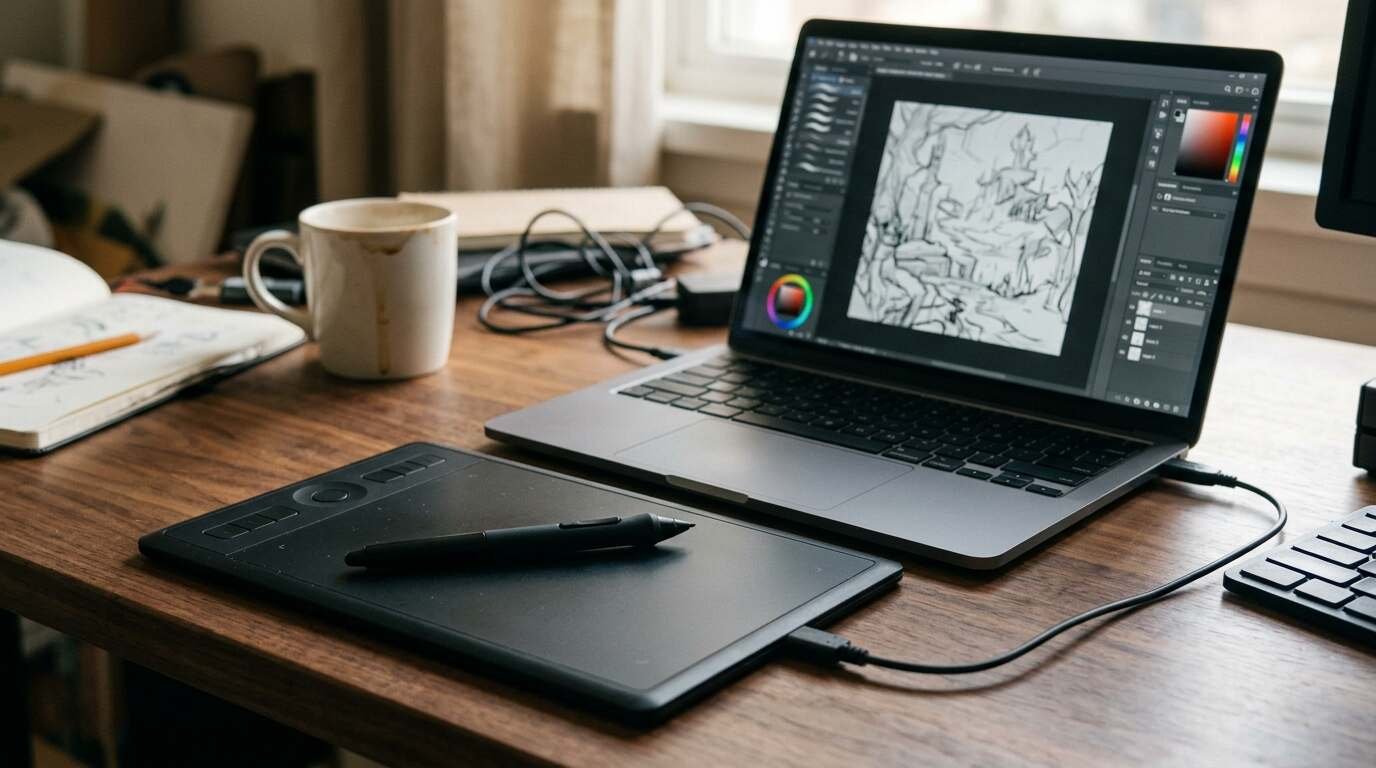
The Intuos Small is Wacom’s entry pen tablet. You draw on a flat pad with a stylus, and the strokes appear on your computer screen. It does not have a display of its own. That keeps the price low and the unit thin, and it also means you look at one surface while your hand works on another, which takes a little getting used to.
Wacom sells two versions. The CTL-4100 is wired and comes in black. The CTL-4100WL adds Bluetooth and comes in black or pistachio green. The Amazon listing covered here is the Bluetooth one.
| Active area | 152 x 95 mm (6.0 x 3.7 in) |
| Pen | Battery-free Wacom Pen 4K, 4,096 pressure levels, no tilt, no eraser |
| Resolution and report rate | 2,540 lpi, about 133 reports per second |
| Buttons | 4 ExpressKeys on the tablet, 2 on the pen |
| Wireless battery | About 15 hours per charge (2018 launch coverage and a retailer Q&A answer) |
| Compatibility | Windows 7 and later, macOS 10.15 and later, Android 6 and later with OTG, ChromeOS |
| Size and weight | 200 x 160 x 8.8 mm, 230 g |
| Software | Clip Studio Paint Pro (2-year license) plus trials; a Wacom ID is required |
The people it suits are easy to name. Beginners and kids who want to try digital drawing. Students and teachers, particularly on Chromebooks and Android phones, where the Bluetooth model is a real selling point. Photo retouchers who mostly need a pen in place of a mouse. Wacom’s bundled Clip Studio Paint license also gives a newcomer something to draw in on day one.
What Amazon shoppers say
The Intuos Small Bluetooth listing on Amazon has a sizable base of shopper feedback. A Google or Google Shopping rating was not checked for this post, so compare that yourself if you want a second opinion.
Amazon’s own summary of customer feedback is positive on the basics. Buyers say it performs well, call it a fantastic choice for beginners, and report that it works with Windows 11 and Photoshop. Those are the three things a first-time buyer actually needs to hear.
The mixed themes are more interesting. Bluetooth is described as convenient by some and as poorly connected by others, and the learning curve gets a similar split. Lag draws criticism. Size divides people: some find it a nice compact pad, others say it is smaller than they expected. Value is also mixed, which tells you the price is fair for some buyers and a stretch for others.
None of this is surprising for an entry tablet. The pattern is a happy majority of beginners and a vocal minority who ran into wireless trouble or wanted more room.
What independent reviewers found
Here is a caution first. Most published reviews of this tablet are from 2018 to 2021, and I found no professional review from 2026. The picture below is real but dated.
Gigazine tried the launch range hands-on in March 2018. Its testers found tracking responsive and compared the pen’s pressure feel to a 2,048-level Cintiq 13HD pen. They liked the rounded edges. Over Bluetooth, though, they noticed a slight catch on slow strokes, and one tester had trouble getting the tablet detected. Even so, Gigazine called it a fitting introduction to digital drawing.
Tools and Toys recommends it as a first tablet. It leans on Wirecutter’s finding that Wacom gave more control than rivals, with no driver or lag problems, even though some competitors advertise 8,192 pressure levels. I could only read that through the Tools and Toys paraphrase, since Wirecutter’s own page was blocked.
Digitec in Switzerland was far harsher, but it tested the Medium Bluetooth model rather than the Small. It ranked that tablet last in a comparison with XP-Pen and Huion models, calling it old, sluggish and expensive. The Small shares the platform, so the complaint about age carries over even if the specific verdict does not.
Frontum, a data aggregator rather than a hands-on tester, gives the Small a composite 5.1 out of 10. The site scores technical specs at 4.6, user ratings at 9.4 and value at 6.6. That spread sums up the whole product: modest hardware, happy owners.
What works
The pen needs no battery and the pad weighs about 230 g, so it goes in a laptop bag without notice. For a student, that matters more than a spec sheet.
Driver support is mature. Windows, macOS, ChromeOS and Android are all covered, and the Tools and Toys writeup, citing Wirecutter, reported no driver or lag problems. Cheaper rivals, by contrast, tend to trade driver polish for extra features.
Tracking was responsive in the hands-on testing, and 4,096 pressure levels is plenty for sketching, inking and retouching. In my view, a beginner is unlikely to feel the difference between that and the higher numbers on rival spec sheets.
The bundled software helps. A two-year Clip Studio Paint Pro license is real value for a beginner, because it removes the first purchase decision after the tablet itself.
Chromebook and Android support through the Bluetooth model is the quiet strength. Wacom lists Chromebook and Android support, and for classroom use that is a good reason to pick this one.
What does not
Six by 3.7 inches is small. On a large monitor or a multi-monitor desk, you will cover a lot of screen with short hand movements, and Frontum describes the area as cramped for those setups. Shoppers on Amazon split on this point, as noted above.
There is no tilt, no touch and no eraser on the pen. If you shade with the side of a virtual pencil, you will miss tilt immediately.
The textured surface reportedly wears nibs quickly, and only a few spares come in the box. Replacement nibs are cheap, but it is an ongoing nuisance.
Wireless is the soft spot. Gigazine saw a slight catch on slow strokes and one unstable Bluetooth driver in 2018, Frontum’s summary of user reports mentions lag and dropouts, and Amazon shoppers echo the connectivity complaint. If you plan to use it wired, much of this goes away, but you are then paying for a feature you do not use.
One more loose end: sources disagree on the charging port. Some point to micro-USB and one says USB-C, and I could not confirm which the current retail unit uses. Check the listing before you buy if that matters to you.
Video reviews
I have not watched these, and the channels were not verified, so treat them as extra viewpoints rather than endorsements.
How it compares
The strongest rival named in published tests is the XP-Pen Deco 01 V3. Digitec named it the overall winner, with around 16,000 pressure levels and 8 buttons. It has no Bluetooth, so it is a desktop and laptop tablet only.
For wireless use at a similar price, Digitec points to the Huion Inspiroy Frego M, which sat at a similar price at the time of testing. The smaller Frego S was cheaper still and is the option if you want the smallest outlay.
Wacom’s own Wacom One M was suggested by that reviewer over the Intuos M Bluetooth. It does not have customizable buttons. Digitec’s pricing comes from an older test in Swiss francs, so use its ranking and check current prices before buying.
The trade is clear enough. The cheaper brands offer more features per dollar, and you pay for them with less polished drivers, by that account. Wacom charges for software maturity and compatibility.
Who should buy it, and who should skip it
Buy it if you are new to digital drawing, if you are buying for a child or a classroom, if you need Chromebook or Android support, or if you want a tablet that travels. It is also a reasonable pen replacement for photo work.
Skip it if you want tilt, a bigger surface or a high pressure resolution. Skip it too if you are comfortable with a little driver fuss in exchange for more features, in which case XP-Pen and Huion deserve a look.
Verdict
In my view, the Intuos Small is a safe, modest first tablet. It is not exciting, and the specs are behind the field. But the pen feels good enough, the software works almost everywhere, and the bundle gives a beginner a free start. The Bluetooth model costs a little more and brings the most complaints, so decide whether you will really use it wirelessly.
My take: for a first tablet, especially for a student or a Chromebook, it is a fair buy. For anyone with serious art plans, spend a bit more or look at a rival with tilt and a larger area.
- Wacom Intuos Small Bluetooth: a modest first pen tablet for beginners and students. See it on Amazon (affiliate link)
As an Amazon Associate I earn from qualifying purchases. A commission may be earned if you buy through this link, at no extra cost to you.