




The Yeti still sounds clear and is easy to use, and it still picks up everything in the room. Here is what testers, forum users and Amazon shoppers say before you spend about $100.
As an Amazon Associate I earn from qualifying purchases. A commission may be earned if you buy through this link, at no extra cost to you.
This Logitech Blue Yeti review deals with the USB microphone that became the default answer to “what mic should I buy for my podcast?” It is large, plug-and-play and has four pickup patterns, and the Blue name has since been folded into Logitech G, which now sells it as the Logitech G Yeti. I haven’t tested this unit; this review is based on published tests and shopper feedback. Plenty of reviewers still call it good value. The same reviewers also point to a short list of problems, and one of them, room noise, is serious enough to settle the question for some buyers.
What the Yeti is, and who it is for
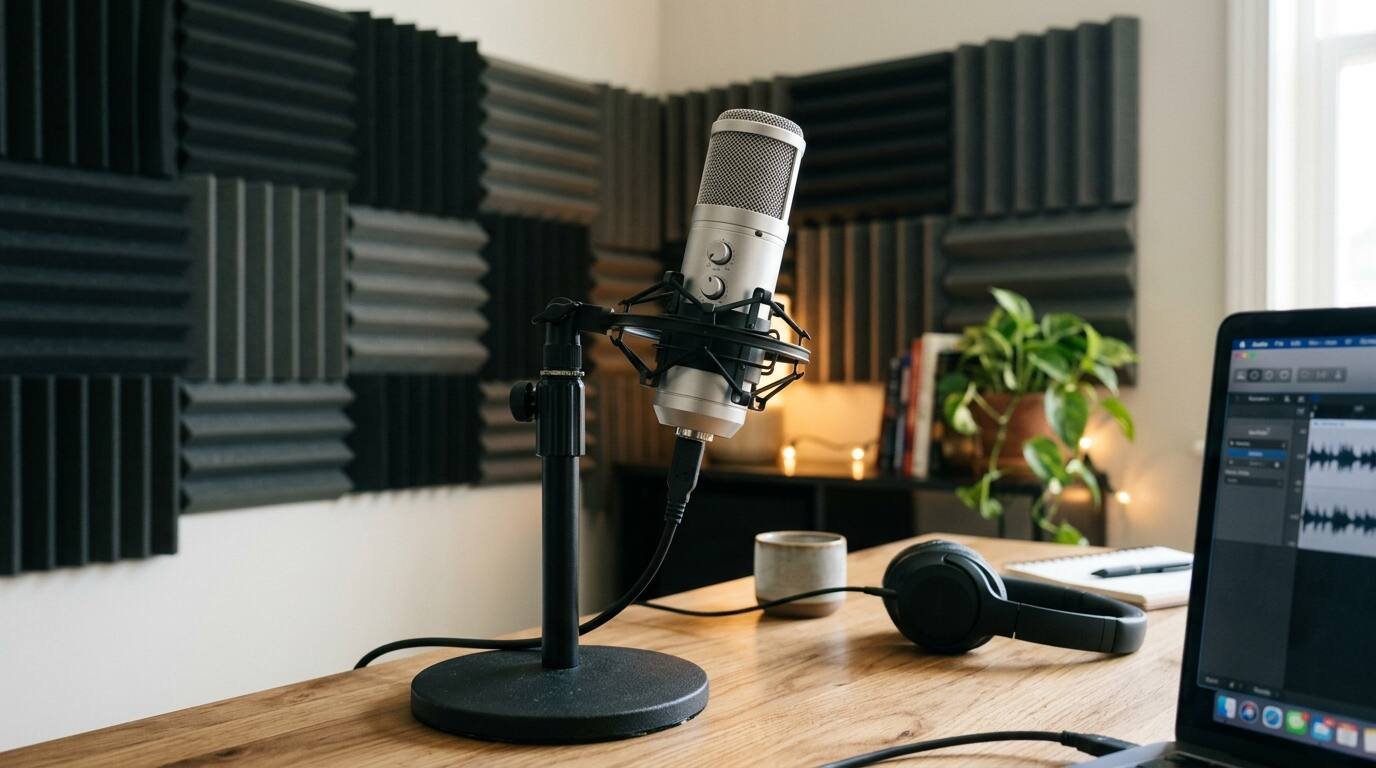
The Yeti is a USB condenser microphone with three 14 mm capsules. Those capsules allow four pickup patterns: cardioid, bidirectional, omnidirectional and stereo. It records at 48 kHz and 16 bit, has a frequency response of 20 Hz to 20 kHz and a maximum sound pressure level of 120 dB. A 3.5 mm headphone output gives zero-latency monitoring, with gain control on the body.
| Spec | Detail |
| Capsules | Three 14 mm condenser |
| Patterns | Cardioid, bidirectional, omnidirectional, stereo |
| Sample rate / depth | 48 kHz / 16-bit |
| Frequency response | 20 Hz to 20 kHz |
| Max SPL | 120 dB |
| Connection | USB only, no XLR |
| Headphone out | 3.5 mm, zero latency |
| Weight | 1.55 kg with stand (Custom PC) |
| Warranty | Limited two-year (Home Studio Basics) |
A few cautions about those figures. They come from Custom PC, whose review dates from 2021 with a 2023 update, and from Home Studio Basics. I did not verify whether the current production unit differs, for instance in connector type. Custom PC lists the weight as 1.55 kg, while Home Studio Basics gives 2.2 lb, and the gap suggests one figure leaves out the stand. I would not rely on either.
The name is also in flux. Logitech phased out the Blue brand in 2023, and the line continues as Logitech G Yeti with Blue VO!CE software. The Amazon listing I checked still carries the Logitech Blue Yeti name.
Logitech’s current line wraps the hardware in Blue VO!CE software, and the older Blue Yeti reviews I relied on predate that. If voice effects and processing matter to you, look at the Logitech G page itself, since I could not read it fully.
Who is it for? A solo streamer, podcaster or video-call regular in a fairly quiet room who wants one microphone to plug in and use.
What Amazon shoppers say
The Amazon listing has gathered a very large pool of shopper feedback, which is what you would expect from a product that has been sold for years.
Amazon’s summary of reviews is favorable. Buyers say it is worth the price, easy to set up and crystal clear, and they use it for podcasting, streaming and music. Two themes are split. On durability, some call it built to last, while another says theirs broke after about seven months. On background noise, opinions differ as well.
That second split is the one to watch, because independent testers and forum users make the same point forcefully. I did not check a Google or Google Shopping rating for this post, and shoppers can compare it themselves.
What independent reviewers found
Custom PC scored it 82 percent. It called the microphone great sounding and versatile, with good value, but marked it down for size and for having no XLR output.
Home Studio Basics gives the Yeti a site rating of 4.9 and says it is still worth buying. The sound is clean, though a little cold, and it picks up room noise. The reviewer would choose the cheaper Yeti Nano today. The site also complains about the lack of an on/off switch and a stiff stand mount, and notes cable failure after a few years.
The Podcast Host calls it a solid solo mic but weak when several speakers sit around one, and says a cheaper dynamic microphone, the Samson Q2U, performs comparably. A 2026 article on talks.co, a lower-authority site, notes no wireless monitoring, bulk and stiff controls.
The most revealing source is a Home Recording Community thread titled about the keyboard sounding far too loud. The poster found that lowering gain did not fix it. Replies suggested trying other patterns, adding foam isolation and a shock mount, or changing keyboards.
What it does well
- Sound. Custom PC and The Podcast Host both describe clear audio for a USB microphone, strong for solo voice.
- Flexibility. Four patterns cover solo, two-person and small group uses.
- Simplicity. No interface is needed, as The Podcast Host points out.
- Monitoring. The headphone output has no latency and a gain knob.
- Value. Custom PC calls the price good for what the microphone delivers.
The patterns are a genuine advantage over cheaper mics. Cardioid suits a single voice facing the mic, while bidirectional lets two people sit across from each other. That versatility is much of why the Yeti spread so widely. I have no sales figures to back that up, though, and no data on which pattern owners use most.
Where it falls short
Noise pickup comes first. A condenser capsule is sensitive by design, and that sensitivity captures keyboard strikes, desk thumps and room echo along with your voice. Home Studio Basics and forum users report the same thing, and the keyboard thread shows that turning the gain down does not cure it.
Size comes second. Custom PC says the Yeti is very large and bulky, and that matters on a small desk or in a camera shot.
USB-only operation is a real limit. You cannot step up to an XLR setup later, The Podcast Host notes, so the microphone is a dead end if you plan to grow into an audio interface.
Stand and accessories matter more than they should. The Podcast Host and forum users mention posture and vibration from the desk stand, and a boom arm and shock mount are extras that cost money. Home Studio Basics adds that there is no on/off switch.
Durability looks uneven. Amazon buyers give both stories, and Home Studio Basics mentions cable failure after a few years. I cannot say which is typical.
Can the noise problem be managed? The forum thread offers a short list: switch patterns, add foam isolation, use a shock mount, or change the keyboard. A boom arm would also lift the microphone off the desk and away from vibration, though that is an added expense, and The Podcast Host and forum users both flag it. Each fix helps a little. None turns a sensitive condenser into a noise-rejecting dynamic microphone, so the cheapest cure may be a different microphone.
Cost deserves a second look too. The published reviews quote different prices across the years, from older Violet Recording and Custom PC figures to The Podcast Host in 2024 and talks.co in 2026, so check the current price on Amazon. Add a boom arm and shock mount and the real cost of a well-set-up Yeti climbs, which narrows the gap with microphones that need less accessorizing.
Video reviews
Three independent videos, all comparing the Yeti with the Samson Q2U in some form, follow. I haven’t verified the creators or watched them end to end, so use them to hear the difference yourself.
How it compares
The Samson Q2U is the usual rival. It is a dynamic microphone with both USB and XLR outputs, sold as a kit according to The Podcast Host and talks.co, which describes it as the cheaper choice, and it rejects room noise better. If you record in an untreated room, it may be the better buy.
The Blue Yeti Nano is a cheaper sibling, and the Home Studio Basics reviewer would choose it over the original. The Rode NT-USB Mini, which talks.co covers, is another compact USB option. I have no hands-on data on either, and prices vary, so check current listings.
Who should buy it, and the verdict
Buy it if you record or stream alone, in a quiet space, and you value a simple setup with options for pickup pattern. Skip it if your room is noisy, you type loudly while recording, you plan to record several people in person, or you want an XLR upgrade path.
In my view, the Yeti remains a sensible purchase for the right person and a poor one for the wrong person. The right person gets clear sound without extra gear, at a fair price. The wrong person ends up fighting keyboard thumps and echo. Few reviewers quarrel about the sound; they quarrel about the room. If you are unsure, test your space with a phone recording first and listen for what a sensitive microphone would pick up.
- The Logitech Blue Yeti is a plug-and-play USB condenser microphone with four pickup patterns, best for solo voice in a quiet room. See it on Amazon (affiliate link)
As an Amazon Associate I earn from qualifying purchases. A commission may be earned if you buy through this link, at no extra cost to you.